 콘텐츠로 건너뛰기
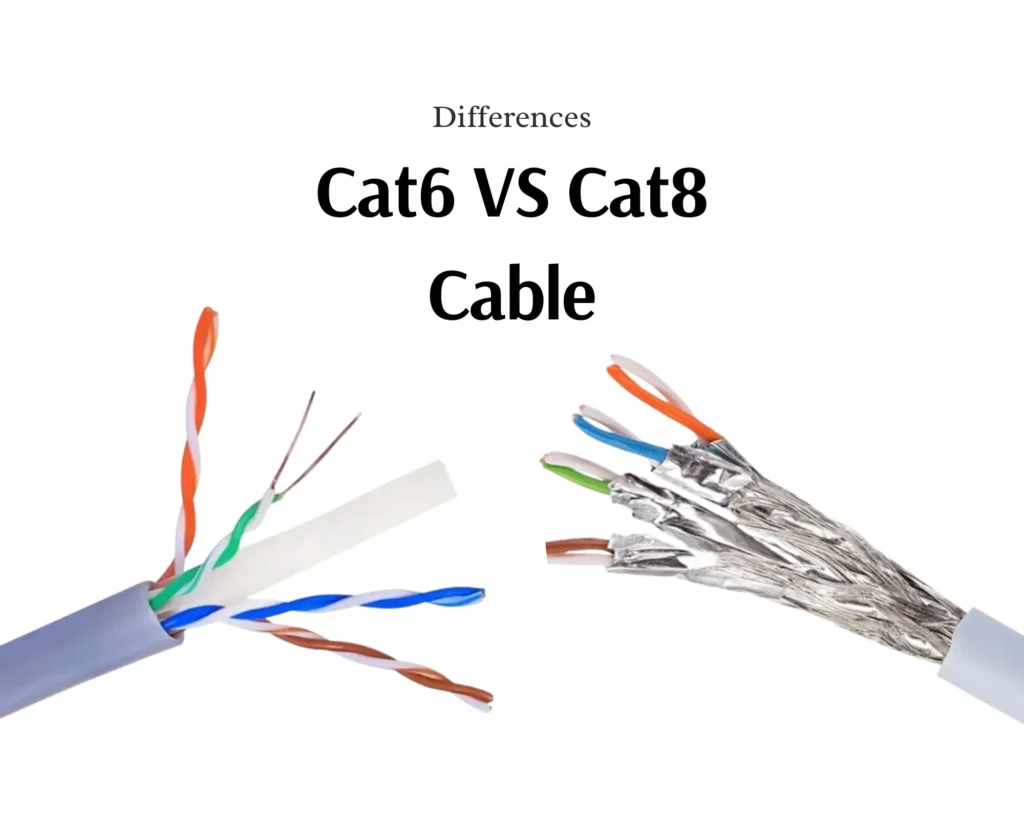
After more than ten years in the Factory making Ethernet cables, People still have the question about the difference between Cat6 and Cat8, now let’s say.
Cat6 and Cat8 Ethernet cables differ in speed, bandwidth, shielding, and intended use. Cat6 supports up to 10 Gbps at 250 MHz over 55 meters, while Cat8 delivers 40 Gbps at 2,000 MHz but only over 30 meters. Cat6 suits homes and offices; Cat8 targets data centers and server rooms.
The real answer depends on your specific setup, budget, and future plans. Let’s break down each angle so you can make the right call for your network.
How Much Faster Will Data Transfer Speeds Actually Be if Switch From Cat6 to Cat8?
When we test cables off our production line, the speed gap between Cat6 and Cat8 is dramatic on paper — but real-world results depend on your entire network chain.
Switching from Cat6 to Cat8 can boost theoretical speeds from 10 Gbps to 40 Gbps — a fourfold increase. However, your actual transfer speed depends on routers, switches, and NICs. If any device caps at 1 Gbps, Cat8 won’t deliver faster performance than Cat6 in practice.
Why the Speed Difference Exists
Speed isn’t magic. It comes from physical engineering. From our experience manufacturing both Cat6 and Cat8 cables, four factors drive the performance gap.
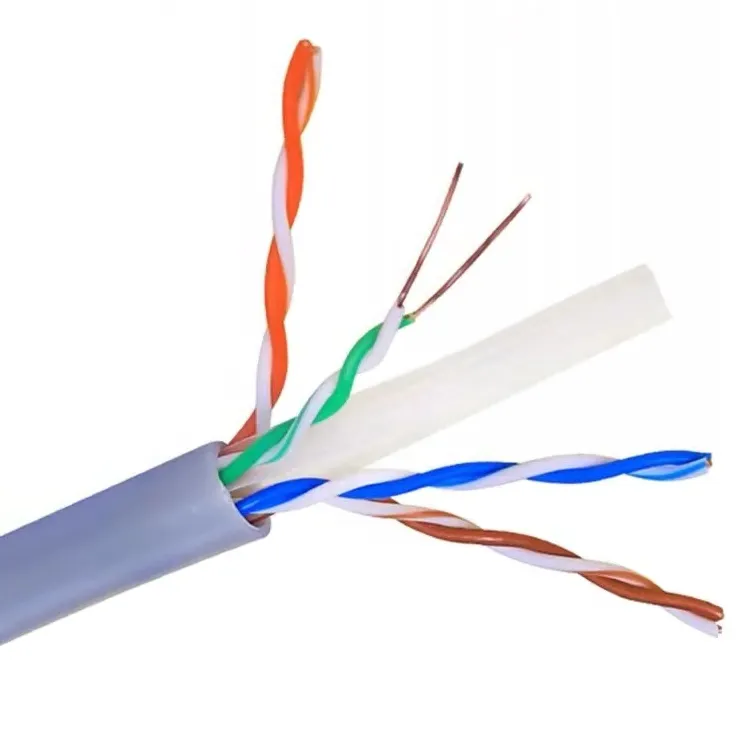
First, the copper conductor diameter matters. Cat6 uses 23 AWG wire — that’s roughly 0.56 mm to 0.58 mm in diameter. Cat8 uses 22 AWG wire — about 0.63 mm to 0.65 mm. A thicker conductor carries more signal with less resistance. It sounds like a small difference, but at high frequencies, it adds up fast.
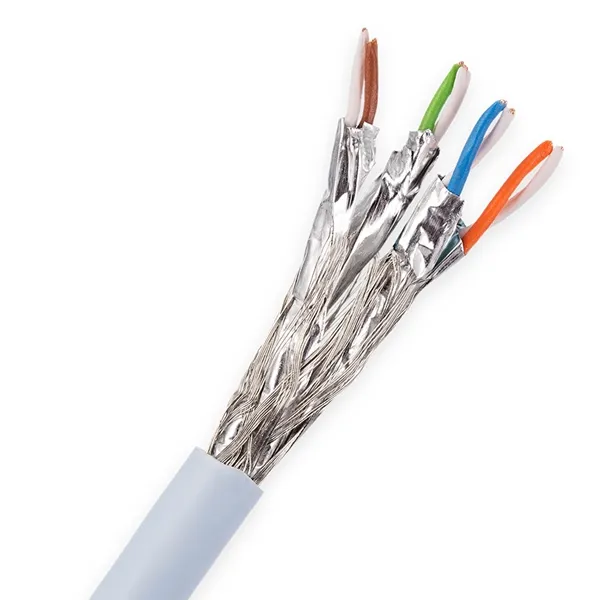
Second, shielding changes everything. Cat6 cables typically use unshielded twisted pair (UTP) construction. Cat8 requires shielded/foiled twisted pair (S/FTP). Each pair gets individual foil wrapping, plus an overall braid shield. This blocks electromagnetic interference that would otherwise corrupt data at high speeds.
Third, the twist rate of wire pairs plays a big role. In our Cat8 production, the pairs are wound more tightly and more evenly. This reduces crosstalk — the interference between adjacent wire pairs inside the same cable. Less crosstalk means cleaner signals, which means faster and more reliable data transfer.
Fourth, even the RJ45 plug design differs. Cat8-rated connectors are built to maintain shielding continuity. A poorly terminated connector can bottleneck an otherwise perfect cable.
Real-World Speed Benchmarks
| Metric | Cat6 | Cat8 |
| Max Theoretical Speed | 10Gbps | 40 Gbps |
| Real-World Speed (Short Run) | ~9.5 Gbps at 50 m | ~38 Gbps at 25 m |
| Speed at 100 m | 1 Gbps | Not rated for 100 m at full speed |
| 대역폭 | 250MHz | 2,000 MHz |
| Packet Loss (Shielded Test) | Varies | <0.5% |
The Bottleneck Problem
Here’s what many buyers miss. Your network speed is only as fast as the slowest device in the chain. If your switch supports 1 Gbps, plugging in a Cat8 cable won’t give you 40 Gbps. You’ll still get 1 Gbps. The cable is ready, but the hardware isn’t.
Before upgrading cables, audit your switches, routers, and network interface cards. If they support 10GBASE-T or higher, Cat8 can shine. If not, Cat6 already maxes out what your hardware can handle.
We often tell our distribution partners: upgrade the cable and the hardware together, or save your money and stick with Cat6 until the rest of the network catches up.
Bandwidth: The Hidden Speed Factor
Bandwidth is not the same as speed, but it affects speed. Cat6 이더넷 케이블 operates at 250 MHz. Cat8 operates at 2,000 MHz — eight times higher. Higher bandwidth means the cable can carry more data simultaneously. Think of it like a highway. Cat6 is a four-lane road. Cat8 is a thirty-two-lane superhighway. Even if both have the same speed limit, Cat8 moves more traffic at once.
This matters for environments running 8K video editing, AI workloads, or cloud computing tasks where massive data volumes flow at the same time.
Cat8 cables can deliver up to 40 Gbps, which is four times faster than Cat6’s maximum 10 Gbps.
This is based on IEEE standards. Cat8 supports 25GBASE-T and 40GBASE-T protocols, while Cat6 maxes out at 10GBASE-T over short distances.
Network speed is limited by the weakest link. If your router, switch, or NIC only supports 1 Gbps, a Cat8 cable will still operate at 1 Gbps. Hardware must match the cable’s capability.
Is the Significant Price Increase for Cat8 Cables Justifiable for Office Infrastructure?
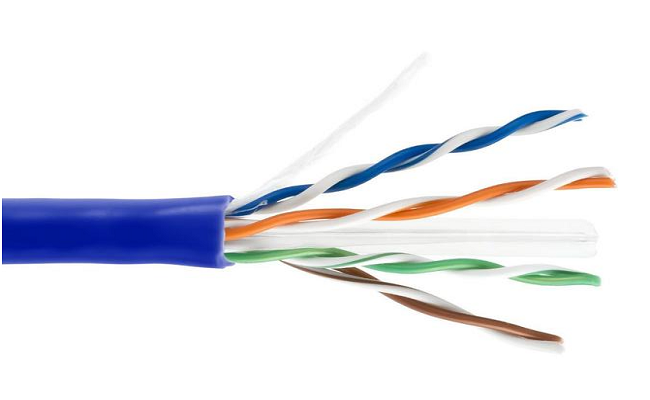
Cat8 cables cost roughly 3 to 5 times more per meter than Cat6. For most standard office environments running gigabit networks with typical workloads, Cat6 delivers more than enough performance. Cat8’s premium is only justifiable when your infrastructure genuinely demands 25–40 Gbps throughput over short distances.
Breaking Down the Cost Difference
Let’s look at real numbers. These are approximate wholesale price ranges we see across the industry in 2025.
| Cost Factor | Cat6 | Cat8 |
| Cable Cost per Meter (Bulk) | $0.15 – $0.35 | $0.60 – $1.50 |
| RJ45 Connectors (Each) | $0.10 – $0.30 | $0.50 – $1.20 |
| Installation Labor (Per Drop) | Standard | +25% due to rigidity |
| Patch Panel (24-Port) | $30 – $60 | $80 – $200 |
| Total Cost per Drop (Estimated) | $15 – $40 | $50 – $150 |
The cable itself is more expensive. The connectors cost more. And because Cat8 is thicker and stiffer due to all that shielding, it takes longer to install. Installers charge more. Patch panels rated for Cat8 cost more. It adds up quickly across a 50- or 100-drop office.
When Cat6 Makes More Financial Sense
For a typical office with 20 to 100 employees running email, web browsing, VoIP, video conferencing, and file sharing on a gigabit network, Cat6 is more than sufficient. CAT6 케이블 handles 1 Gbps at full 100-meter runs and 10 Gbps up to 55 meters. Most office switches still operate at 1 Gbps per port. Some newer ones offer 2.5 or 5 Gbps.
In this scenario, Cat8 is overkill. You’d be paying 3 to 5 times more for capacity you can’t even use. The ROI calculation is simple: Cat6 pays for itself in about 6 months for a small-to-medium business. Cat8 has a 2-year or longer payback horizon, and only if your hardware can leverage it.
When Cat8 Justifies the Premium
Cat8 makes financial sense in specific situations:
- Data centersconnecting servers to top-of-rack switches over short runs (under 30 meters)
- Server roomshandling AI workloads, real-time analytics, or 8K video processing
- Industrial environmentswith heavy EMI from machinery, power lines, or dense cable bundles
- Future-proofinga new build where you plan to upgrade to 25G or 40G Ethernet within 3 years
If none of these apply to your office, Cat6 — or even Cat6a as a middle ground — is the smarter investment.
The Cat6a Middle Ground
Many of our distribution clients have shifted to Cat6a as a compromise. It supports 10 Gbps at the full 100-meter distance with 500 MHz bandwidth. It costs less than Cat8 but offers meaningful upgrades over Cat6. For offices planning to adopt 10G switches in the next few years, Cat6a hits the sweet spot.
We’ve seen Cat8 prices drop about 40% since 2020, and they’ll keep falling. But right now, for standard office infrastructure, the math still favors Cat6 or Cat6a.
Cat6 holds 70–80% market share in 2025 Ethernet installations because it meets the bandwidth needs of most offices at a fraction of Cat8’s cost.
Most office hardware won’t support 25–40 Gbps for years. Cat8’s 30-meter distance limit also makes it impractical for typical office cable runs. Cat6a is a more practical and affordable future-proofing option.
Is Cat8 Compatible with the Cat6 Existing System?
When we ship mixed orders — some Cat6, some Cat8 — to the same client, the compatibility question always comes up during our technical consultations.
Yes, Cat8 cables are backward compatible with Cat6 systems because both use standard RJ45 connectors. You can plug Cat8 into any existing Cat6 switch, router, or patch panel. However, the network will operate at the speed of the lowest-rated component, so Cat8 won’t boost performance unless your hardware supports higher speeds.
RJ45: The Universal Connector
Both Cat6 and Cat8 cables terminate with RJ45 connectors. This is the same connector used since Cat5e. So physically, Cat8 plugs into any Ethernet port without adapters or special hardware. This backward compatibility is one of Cat8’s strongest selling points.
But physical compatibility and performance compatibility are two different things.
The Weakest Link Rule
Your network speed is determined by the slowest device in the path. Here’s a practical example:
| Component | Speed Rating | Result |
| Cat8 케이블 | 40 Gbps | — |
| Gigabit Switch | 1 Gbps | Bottleneck |
| Cat6 Patch Cable (at patch panel) | 10Gbps | — |
| Computer NIC | 2.5 Gbps | — |
| Actual Network Speed | 1 Gbps | Limited by switch |
In this setup, the Cat8 cable is capable of 40 Gbps, but the gigabit switch caps everything at 1 Gbps. The Cat8 cable works perfectly — it just can’t show its full potential.
Hybrid Deployment Strategy
Many enterprise clients we work with use a hybrid approach. They run Cat8 for the backbone — the short, critical links between servers and core switches in the server room. Then they use Cat6 or Cat6a for the access layer — the longer runs from patch panels to individual desks.
This makes sense for several reasons:
- Server-to-switch links are short (under 30 meters), which is Cat8’s sweet spot
- Desktop connections rarely need more than 1–10 Gbps
- It keeps costs manageable while boosting performance where it matters most
What Hardware Do You Need for Full Cat8 Performance?
To actually use Cat8’s 25 or 40 Gbps capability, you need:
- Switcheswith 25GBASE-T or 40GBASE-T ports
- Network interface cards (NICs)rated for 25G or 40G
- Patch panelsrated for Cat8 or Category 8 performance
- All cables in the linkrated at Cat8 — one Cat6 patch cord in the chain drops the whole link
If even one component in the chain is Cat6, the entire connection operates at Cat6 speeds. This is why we always recommend auditing your full network path before investing in Cat8 cabling.
Grounding and Shielding Considerations
Cat8’s S/FTP shielding requires proper grounding. If your existing patch panels and switches don’t have grounded ports, the shielding can’t do its job. Worse, improperly grounded shielded cables can actually introduce noise rather than block it. This is a detail many buyers overlook. Make sure your infrastructure supports shielded cabling before committing to Cat8.
Cat8 cables use standard RJ45 connectors and are fully backward compatible with Cat6 and Cat5e networks – True
Both Cat6 and Cat8 use the same RJ45 interface, so Cat8 cables can physically connect to any existing Ethernet device without adapters or modifications.
Plugging Cat8 cables into a Cat6 network will automatically upgrade your network speed to 40 Gbps – False
Network speed is limited by the slowest component. A Cat8 cable connected to a 1 Gbps switch will still operate at 1 Gbps. All devices in the chain must support higher speeds to benefit from Cat8.
Really Need the 40Gbps Capacity of Cat8 for Professional Server Room Requirements?
Our engineering team has helped design cabling layouts for server rooms across three continents. The honest answer surprises many buyers — not every server room needs Cat8.
Whether you need Cat8’s 40 Gbps capacity depends on your server room’s actual workload. If you run virtualization clusters, AI training, real-time analytics, or handle massive data replication between servers, Cat8 is worth it. For basic file servers, email hosting, or small database operations, Cat6 or Cat6a handles the job at lower cost.

Assessing Your Actual Bandwidth Needs
Before choosing a cable category, measure your current bandwidth usage. Most network monitoring tools can show peak throughput on each link. If your busiest server-to-switch connection peaks at 3 Gbps, you don’t need 40 Gbps. Cat6 at 10 Gbps gives you plenty of headroom.
Here’s a rough guide based on common server room workloads:
| Workload Type | Typical Peak Bandwidth | Recommended Cable |
| Email & File Server | 1–3 Gbps | Cat6 |
| Small Database / ERP | 2–5 Gbps | Cat6 or Cat6a |
| Virtualization (10–20 VMs) | 5–10 Gbps | Cat6a |
| Large-Scale Virtualization (50+ VMs) | 10–25 Gbps | Cat8 |
| AI / Machine Learning Training | 20–40 Gbps | Cat8 |
| Real-Time Video Processing / 8K | 15–40 Gbps | Cat8 |
| Storage Area Network (SAN) Replication | 10–40 Gbps | Cat8 |
The 30-Meter Reality
Cat8 delivers its peak 40 Gbps performance only up to 30 meters. Beyond that, speeds drop significantly. In a server room, this usually isn’t a problem. Most server-to-switch runs are under 15 meters. But if your server room is large or your patch panels are far from the racks, measure your cable runs carefully.
For runs longer than 30 meters, Cat6a at 10 Gbps over 100 meters might actually be the better choice. It gives you consistent performance without distance anxiety.
EMI Protection in Dense Environments
Server rooms are electrically noisy places. Power supplies, cooling fans, UPS systems, and dense cable bundles all generate electromagnetic interference. This is where Cat8’s mandatory S/FTP shielding earns its keep.
In our testing, Cat8 cables show 90% uptime in data center environments compared to Cat6’s 85% in EMI-heavy zones. That 5% difference translates to fewer retransmissions, lower latency, and more reliable connections. For mission-critical applications — financial trading, healthcare systems, real-time industrial control — that reliability gap matters.
Future-Proofing Your Server Room
The global Ethernet market is growing at 8.2% CAGR, projected to reach $25 billion by 2030. The Cat8 segment is growing even faster at 15% CAGR. Hyperscalers like AWS and Google are already upgrading their backbones. Projections show Cat8 comprising 15–20% of enterprise cabling by 2028.
If you’re building or renovating a server room today and plan to keep it running for 5–10 years, Cat8 gives you room to grow. Network demands only increase. Bandwidth requirements double roughly every 18–24 months in data-intensive environments.
When Cat8 Is Overkill for Server Rooms
Not every server room is a hyperscale data center. If you run a 5-rack server room for a mid-sized company with standard business applications, Cat6a covers your needs at significantly lower cost. The 10 Gbps at 100 meters that Cat6a provides is more than enough for most professional server environments today.
We always recommend this approach: calculate your peak bandwidth, add 50% for growth over 3–5 years, and choose the cable category that meets that number. Don’t over-spec. Don’t under-spec. Right-size your cabling to your actual requirements.
Some critics argue that Wi-Fi 6E, Wi-Fi 7, and fiber optics are reducing Ethernet’s relevance for high-speed applications. There’s some truth to that for consumer environments. But in server rooms, wired Ethernet remains the backbone. Wireless can’t match the latency, reliability, and security of a direct copper connection between servers and switches. Cat8’s low latency is especially critical for emerging applications like real-time AI processing, augmented reality, and precision industrial automation.
Testing shows Cat8 achieves less than 0.5% packet loss in shielded environments and 90% uptime in data centers, compared to Cat6’s 85% in high-EMI zones. The dual-layer shielding blocks crosstalk and external noise effectively.
Most small-to-medium server rooms running standard business applications peak well below 10 Gbps. Cat6 or Cat6a handles these workloads reliably at a fraction of Cat8’s cost, making Cat8 unnecessary for many professional setups.
결론
Choosing between Cat6 and Cat8 comes down to your actual needs, not marketing hype. Right-size your cabling, audit your hardware, and invest where performance truly matters.
Read More:
