Skip to content
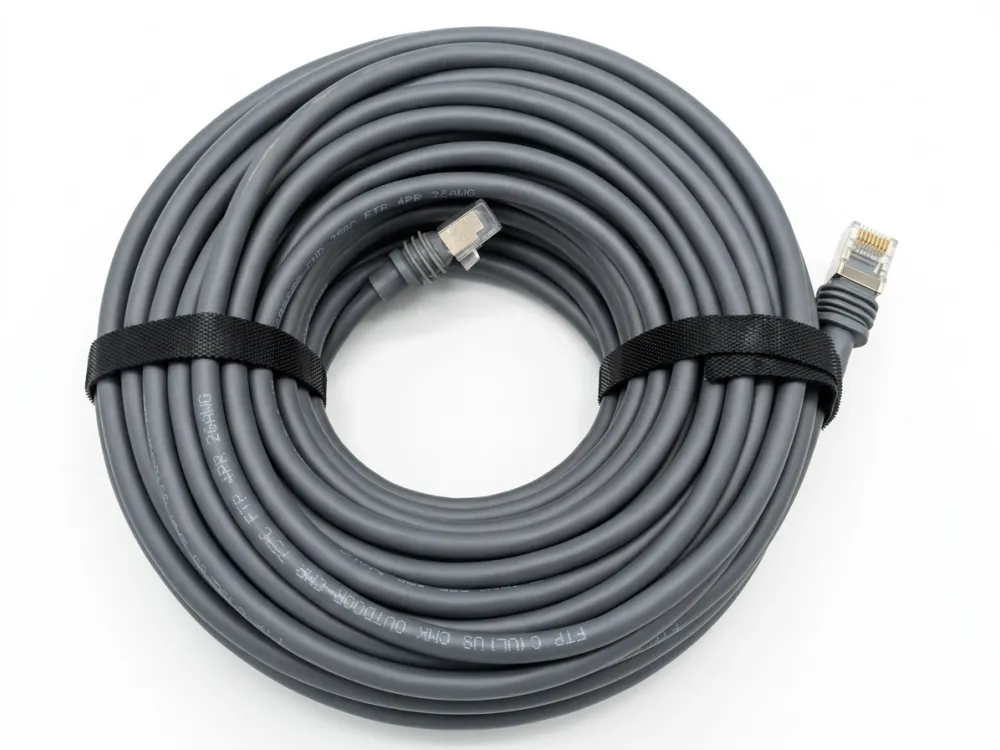
Many clients started placing Starlink replacement cable orders 3 years ago. However, most of them ask the same question: What cable does Starlink actually use?
Starlink Cable uses different cables depending on the hardware generation. Official Starlink documents list cable lengths and compatibility, but they do not publicly specify whether the cable is Cat5e, Cat6, or Cat6A. The reason many third-party Starlink replacement cables are advertised as Cat5e, Cat6, Cat6A, 24AWG, or 26AWG is that aftermarket manufacturers design their own cables based on connector compatibility, teardown analysis, wiring structure, power delivery requirements, and performance testing. These labels describe the third-party cable’s construction, not necessarily the official specification published by Starlink.
Let me walk you through every generation, every connector type, and every specification detail so you can make the right sourcing decision.
Standard Ethernet Cable for My Starlink Connection?
A buyer in Texas once sent us a photo of a melted RJ45 plug he had forced into his Gen 2 dish port — that single image taught me more about this question than any spec sheet ever could.
You cannot use a standard Ethernet cable with Gen 1 or Gen 2 Starlink kits because they use proprietary connectors that do not accept regular RJ45 plugs. However, the newer Starlink Gen 3 cable does use a standard RJ45 connector, making it compatible with common Cat6 or Cat6a Ethernet cables for extensions.
Why Starlink Cables Are Not “Standard”
The confusion is understandable. The Starlink cable looks like an Ethernet cable, and internally it follows similar wiring principles. But there are critical differences.
First, the cable must deliver power and data at the same time. A regular Ethernet patch cable only handles data. Starlink’s dish sits on a roof or pole, far from any power outlet. The cable acts as the sole lifeline — it feeds electricity to the dish while simultaneously pulling down satellite internet data. This Power over Ethernet (PoE) function is built into the cable’s design from the ground up.
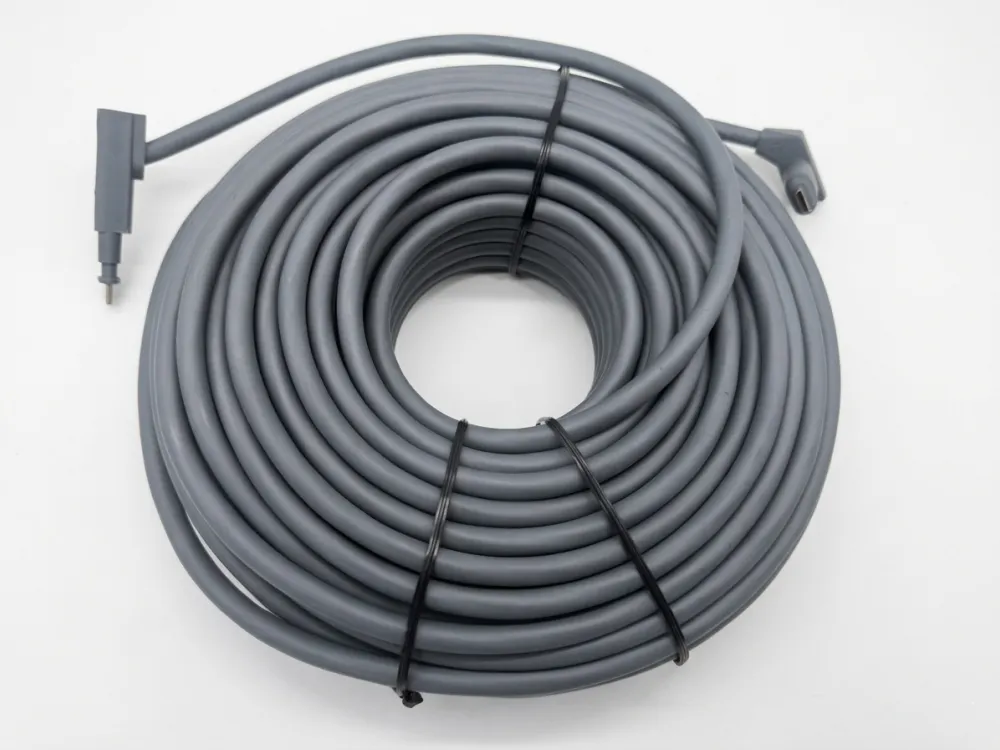
Second, older generations use proprietary SPX connectors. These are physically different from RJ45 connectors. You cannot plug a standard Ethernet cable into a Gen 2 dish or router without an adapter. Forcing a standard plug in will damage the port.
Third, the cable itself is flat and ribbon-like — roughly 5 mm thick and 8 mm wide. This is nothing like a round Cat6 patch cable. The flat profile lets installers route it through walls with only a 19.05 mm (¾ inch) hole, which is a real advantage for finished homes.
Generation-by-Generation Connector Comparison
| Feature | Gen 1 (Circular Dish) | Gen 2 (Standard Actuated) | Gen 3 (Standard V4) | Starlink Mini (Portable) |
| Connector Physical Type | Standard RJ45 (High-spec weatherproof boot) | Proprietary SPX Connector | Standard RJ45 (With weatherproof rubber seal) | DC Power Port + Standard RJ45 |
| Cable Form Factor | Round Ethernet Cable (Hardwired to dish) | Flat Ribbon Cable (~7–8 mm width) | Flat Ribbon Cable (~7–8 mm width) | Round DC Power Cable / Standard Round Ethernet |
| Default Cable Length | 30 m (100 ft) | 15 m (49 ft) | 15 m (49 ft) | 15 m (49 ft) |
| Factory Cable Transmission | Power + Data (High-wattage non-standard PoE) | Power + Data (Proprietary SPX PoE) | Power + Data (High-wattage standard PoE) | Power Cable: Power only Data: Via Wi-Fi or separate Ethernet |
| Direct Extension via Standard Cable | Supported (Requires high-quality shielded coupler) | Not Supported (Requires proprietary adapters) | Supported (Requires shielded Cat6/Cat6a) | Supported (Plugs directly into the built-in RJ45 port) |
What Happens If You Force a Standard Cable
I have seen procurement teams try to save money by skipping the adapter on Gen 2 kits. The result is always the same: no connection, potential port damage, and a voided warranty. The proprietary connector has a different pin arrangement and locking mechanism. Even if you trim the plastic housing, the electrical contact pattern will not match.
For Gen 3 kits, the story changes completely. The Starlink Gen 3 cable terminates in a standard RJ45 connector. You can extend it with a quality shielded Ethernet cable — Cat6 or Cat6a — and a waterproof coupler. This shift to open standards is a big deal for distributors and installers because it reduces reliance on expensive proprietary accessories.
The Starlink Mini cable is a different animal entirely. It uses a dedicated DC power cable, often with USB-C PD or 12V input options, designed for portability and lower power consumption. It does not use PoE at all.
How Extend Starlink Cable for a Professional Installation?
One lesson we learned while developing custom Starlink cable 150ft runs for a distributor in Germany: total cable length matters far less than conductor gauge and shielding quality when you are pushing both power and data over the same line.
To extend a Starlink cable, Gen 2 users need a Starlink Ethernet adapter to convert the proprietary connector to RJ45, then add a shielded Cat5e or Cat6 cable. Gen 3 users can connect a standard Cat6 or Cat6a cable directly using a waterproof coupler. Keep total length under 100 meters (328 ft) for reliable performance.
Extension Methods by Generation
The approach depends entirely on which Starlink kit you own. Here is a clear breakdown.
Gen 2 Extension Process:
- Purchase the official Starlink Ethernet adapter (converts proprietary SPX to RJ45).
- Connect the adapter to the router end of the Starlink cable.
- Run a shielded Ethernet cable from the adapter to your desired location.
- Use outdoor-rated cable if any section is exposed to weather.
- Keep the total combined length under 100 meters.
Gen 3 Extension Process:
- Disconnect the Starlink Gen 3 cable at the router end.
- Attach a waterproof RJ45 coupler.
- Connect a Cat6 or Cat6a extension cable.
- Route the extension to your router or switch location.
- Seal all outdoor connections with weatherproof tape or enclosures.
Why Conductor Gauge Matters More Than Category Rating
This is where most online guides get it wrong. They focus on whether you need Cat5e, Cat6, or Cat6a. But for Starlink installations — where the cable carries power — the wire gauge is the real variable.
A 24AWG conductor is physically thicker than a 26AWG conductor. Thicker wire means lower electrical resistance. Lower resistance means less voltage drop over distance and less heat generated in the cable. Industry testing has shown that under identical power delivery conditions, 26AWG conductors can lose approximately 60% more power to conductor resistance compared to 24AWG conductors. (Source: Belden Cable)
For short runs under 15 meters, 26AWG works fine. For longer professional installations — say a Starlink cable 150ft run from a rooftop dish to a ground-floor network closet — 24AWG is the safer choice.
| Factor | 24AWG (or 23AWG) | 26AWG |
| Conductor Gauge | Thicker Copper Core | Thinner Copper Core |
| DC Resistance | Lower (~84 $\Omega$/km) | Higher (~134 $\Omega$/km) |
| Voltage Drop (Long Runs) | Minimal (Safe for long distances) | Severe (Causes device dropouts) |
| Heat Dissipation | Excellent (Remains cool under PoE) | Poor (Risk of overheating under high wattage) |
| Best Application | Long runs over 15m, High-Wattage PoE | Short patch cords only (<15m) |
| Recommended for Starlink | Highly Recommended (Industry Standard) | Not Recommended for Extensions |
A Note on Official Recommendations
Starlink’s own documentation states clearly: “Although the Starlink cable conforms to RJ45 standards, we do not recommend modifying your cable or combining it with another cable to add length as we cannot guarantee the quality of service.” This is a liability statement, not a technical impossibility. Thousands of professional installations use extended cables successfully. The key is using quality shielded Ethernet cable with proper outdoor-rated connectors and keeping within reasonable length limits.
When we supply Starlink replacement cable to installers, we always recommend shielded cable with foil and braid shielding. Unshielded cable can pick up interference from nearby power lines, HVAC systems, or other electrical equipment — and that interference degrades both the data signal and the power delivery.
Starlink Cable Is Damaged and Needs Replacement?
If your Starlink cable is damaged, you can order an official replacement from Starlink’s website or purchase a third-party Starlink cable replacement that matches your generation’s specifications. For Gen 3 users, any quality outdoor-rated Cat6a shielded cable with RJ45 connectors can serve as a direct replacement for the extension portion.
Diagnosing Cable Damage
Before you order a replacement, confirm the cable is actually the problem. Common symptoms of a damaged Starlink cable include:
- Dish not powering on at all (complete power loss)
- Intermittent disconnections that follow a pattern (e.g., when wind moves the cable)
- Significantly reduced speeds compared to your plan
- Error messages in the Starlink app referencing “cable” or “connection”
Physical damage is usually obvious — cuts, crush marks, rodent chew marks, or UV degradation on older cables left exposed without proper protection. But sometimes the damage is internal. A cable that was bent too sharply during installation can have broken conductors inside an intact jacket.
Official vs. Third-Party Replacement Options
Here is the trade-off I weigh every time a buyer asks about Starlink cable replacement. Official cables guarantee compatibility but cost more and have limited cable length options. Third-party replacement cables offer custom lengths, different gauge options, and competitive pricing — but you need to verify the specifications carefully.
How do third-party manufacturers create compatible replacement cables? Engineers disassemble the original Starlink cable, analyze the conductor count, gauge, shielding structure, and connector pinout, then build a replacement that matches those specifications. They test it against the original to verify data throughput and power delivery. This reverse-engineering process is how the market for Starlink replacement cables emerged.
Our production line handles both Cat5e and Cat6 configurations for Starlink replacement cable orders. We can customize the length — whether a buyer needs a 15-meter standard run or a 45-meter extended installation — and we offer both 24AWG and 26AWG options depending on the application.
Replacement Cable Selection Guide
| Your Starlink Kit | Recommended Replacement Spec | Connector Type | Available Lengths | Key Consideration |
| Gen 1 (Round Dish) | Cat5e shielded, proprietary ends | Proprietary | 30 m (standard) | Discontinued; third-party only |
| Gen 2 (Standard) | Cat5e/Cat6 shielded, SPX ends | Proprietary SPX | 15 m, 23 m, custom | Must match SPX connector exactly |
| Gen 3 (Standard) | Cat6/Cat6a shielded, RJ45 ends | Standard RJ45 | 15 m, 45 m, custom | Easiest to replace; standard connectors |
| Starlink Mini | DC power cable, USB-C PD | DC / USB-C | 15 m | Not an Ethernet cable; different product |
Installation Tips After Replacement
When installing a replacement cable, protect it better than the original. Use conduit for any buried sections. Apply UV-resistant cable ties for exposed outdoor runs. Seal wall penetrations with silicone or weatherproof grommets. The outdoor-rated cable jacket helps, but physical protection extends the cable’s life by years.
One detail that surprises many buyers: the IP67 waterproof rating on official Starlink cables applies to the cable itself, not necessarily to the connection points. Exposed RJ45 junctions need waterproof enclosures or boots, especially in regions with heavy rain or snow.
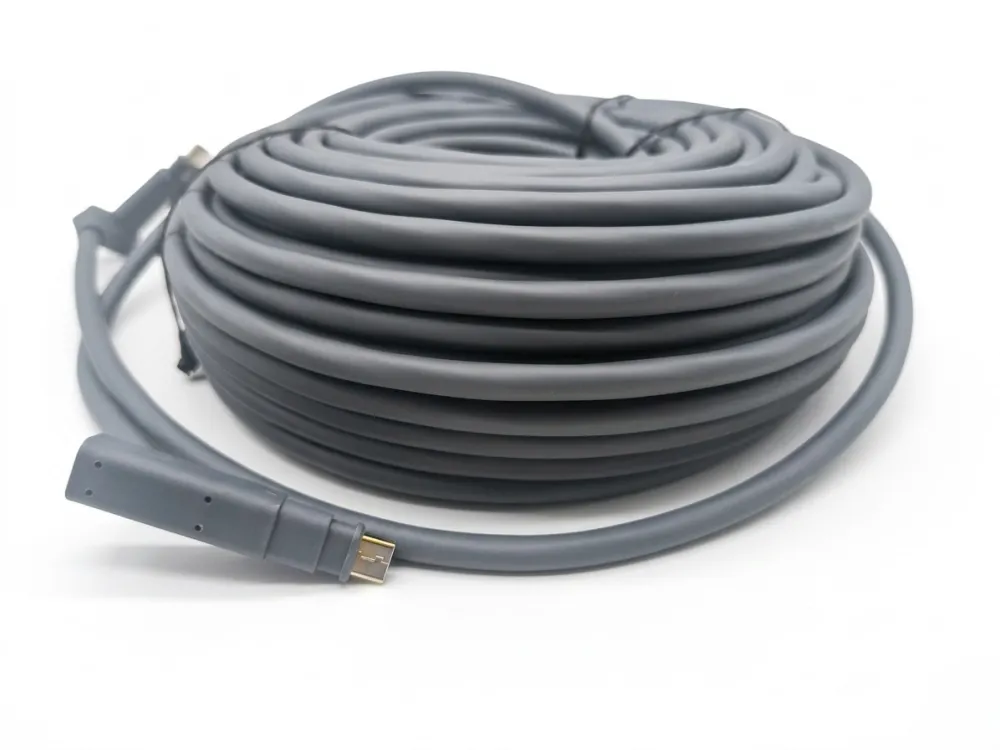
Need Special Cable to Support Power over Ethernet for My Dish?
When we calibrate cable assemblies for Starlink PoE applications, the shielding test is always the step that separates a reliable cable from a problematic one. Power and data sharing the same conductors creates electromagnetic noise that only proper shielding can contain.
Yes, you need a cable specifically designed to carry Power over Ethernet for your Starlink dish. The cable must support simultaneous power delivery and high-speed data transmission, with proper shielding to prevent interference. Standard unshielded Ethernet cables lack the power handling capacity and noise protection required for reliable Starlink operation.
How Starlink PoE Works
Power over Ethernet in the Starlink system is not the same as standard PoE you might find in office IP cameras or access points. Standard PoE (IEEE 802.3af/at/bt) delivers 15 to 90 watts. Starlink dishes consume significantly more power — the Gen 2 dish draws around 50–75 watts on average, and the Gen 3 dish is in a similar range. The power delivery is integrated into the Starlink router, which acts as both a PoE injector and a network gateway.
This means the cable between the router and the dish is not just a data pathway. It is an electrical power line. Every milliohm of resistance in the conductors translates to wasted power, heat, and potential instability.
What Makes a Cable “PoE-Ready” for Starlink
Not every shielded Ethernet cable qualifies. Here is what to look for:
- All eight conductors must be used. Starlink uses all four pairs for combined power and data delivery.
- Shielding is mandatory. Foil shielding (F/UTP) is the minimum. Foil plus braid (SF/FTP) is better for long runs or electrically noisy environments.
- Conductor gauge matters. As discussed earlier, 24/26AWG is preferred for runs over 15 meters. The lower resistance directly impacts power delivery efficiency.
- Outdoor rating is essential. The cable jacket must resist UV, moisture, and temperature extremes. Look for PE or LSZH outer jackets rated for outdoor use.
PoE Cable Specifications Comparison
| Specification | Minimum for Starlink PoE | Recommended for Long Runs | Not Suitable |
| Category | Cat5e | Cat6a | Cat3 or lower |
| Conductor Gauge | 26AWG | 24AWG | 28AWG or thinner |
| Shielding | F/UTP (foil) | SF/FTP (foil + braid) | UTP (unshielded) |
| Jacket Rating | Outdoor rated (PE) | Outdoor rated (PE/LSZH) | Indoor only (PVC) |
| Conductor Material | Solid copper | Solid copper | Copper-clad aluminum (CCA) |
| Waterproof Rating | IP65 minimum | IP67 | No rating |
The Starlink Mini Exception
The Starlink Mini cable deserves a separate mention. It does not use PoE at all. Instead, it relies on a DC power cable with USB-C PD or 12V input options. This design choice reflects the Mini’s focus on portability and lower power consumption. If you are sourcing cables for a mixed fleet of Starlink installations — some standard dishes, some Mini units — you need two completely different cable types.
Copper-Clad Aluminum: A Hidden Risk
One issue we flag for every wholesale buyer: avoid copper-clad aluminum (CCA) conductors for any Starlink PoE application. CCA cables are cheaper, but aluminum has roughly 60% higher resistance than pure copper. For a data-only cable, the difference might be tolerable. For a cable that must deliver 50+ watts of power over 15 to 45 meters, CCA conductors will cause excessive voltage drop, overheating, and potential dish power failures. Always specify solid copper conductors.
This is one area where our quality control process adds real value. Every spool we ship for Starlink replacement cable orders is tested for conductor resistance and continuity before it leaves the warehouse. A single bad conductor in an eight-conductor cable can cause intermittent power delivery failures that are extremely difficult to diagnose in the field.
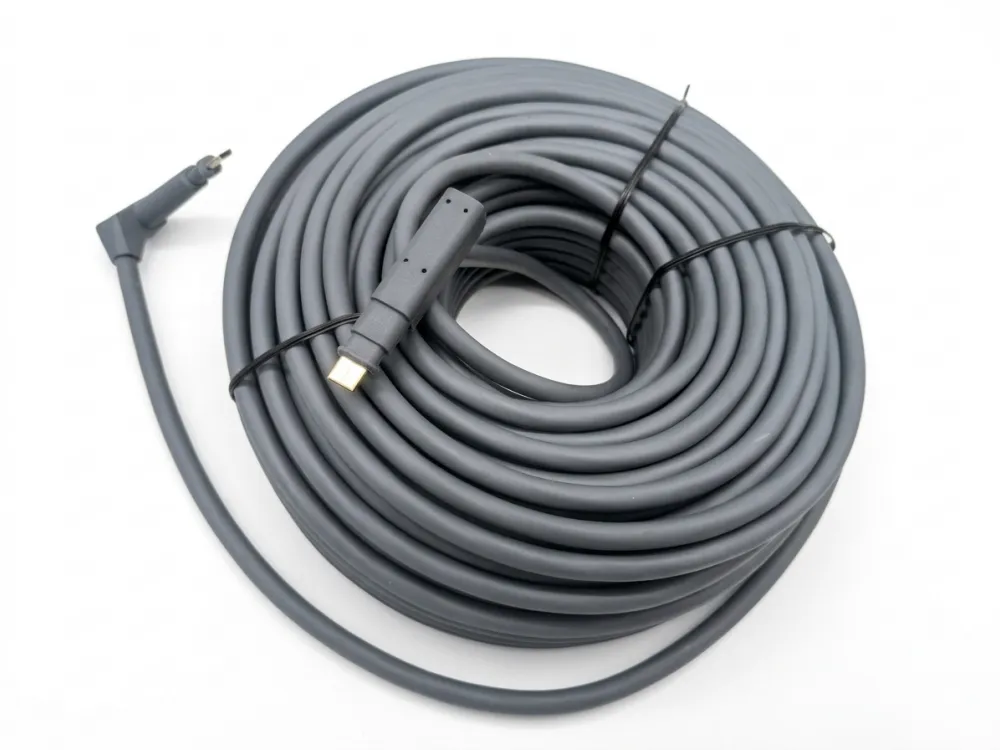
Conclusion
Starlink uses a specialized PoE cable that varies by generation — proprietary connectors for Gen 1 and Gen 2, standard RJ45 for Gen 3, and DC power for the Mini. Choosing the right Starlink cable replacement starts with knowing your kit version, required length, and conductor gauge.