تخطى الى المحتوى
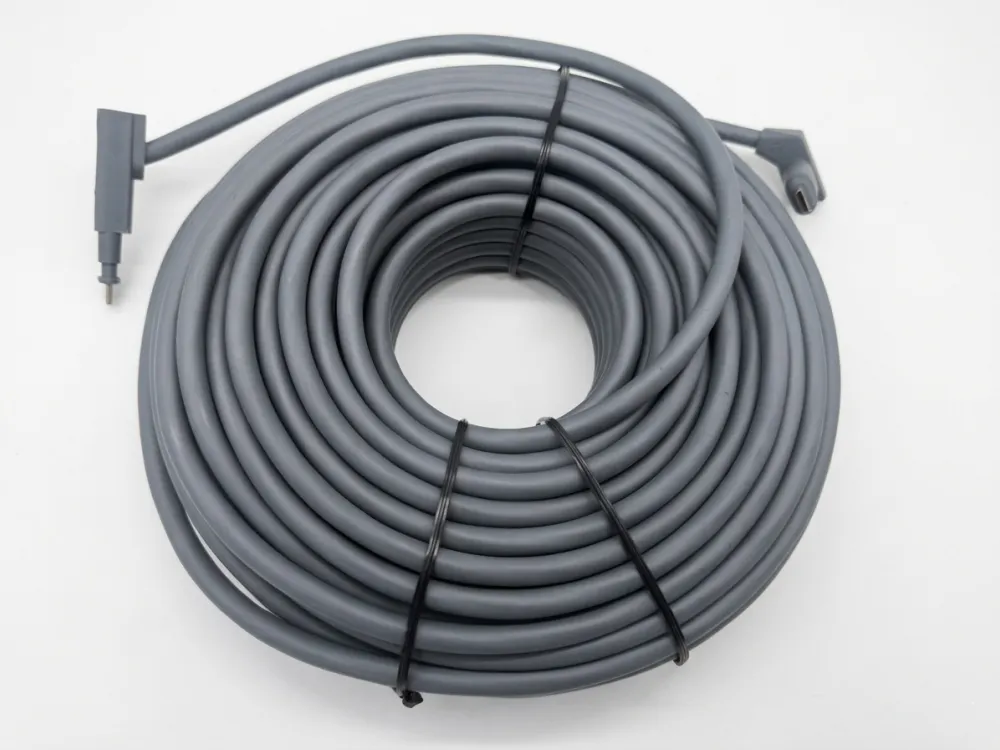
عندما بدأنا في إنتاج كابلات Starlink البديلة على خط الإنتاج الخاص بنا، كان السؤال الأول الذي طرحه كل موزع هو نفسه: ما هو الكابل الذي يستخدمه Starlink بالفعل؟؟
يستخدم كابل Starlink كابل طاقة عبر إيثرنت (PoE) محمي خاص والذي ينقل البيانات والطاقة إلى الطبق. إنه ليس كابل إيثرنت قياسي. يستخدم الجيل الثاني موصلات خاصة، بينما تحول الجيل الثالث إلى موصلات RJ45 القياسية لتسهيل التمديد والاستبدال.
تبدو الإجابة بسيطة، ولكن التفاصيل مهمة - خاصة إذا كنت تبحث عن كابلات لإعادة بيعها أو للتركيبات الكبيرة. اسمح لي أن أطلعك على كل جيل وكل مواصفات وكل مفهوم خاطئ واجهته.
تطور كابلات Starlink: الجيل الأول إلى الجيل الثالث والميني؟
أحد الدروس التي تعلمناها مبكرًا عند تطويرنا استبدال كابل ستارلينك خلاصة القول هي أن كل جيل من أجيال Starlink قدم تصميمًا مختلفًا للكابلات بشكل أساسي، والخلط بينهما يسبب مشاكل حقيقية للقائمين على التثبيت.
تطورت كابلات Starlink من الكابل الدائري الطويل الخاص بالجيل الأول إلى كابل الشريط المسطح الأقصر من الجيل الثاني مع موصلات مخصصة، ثم إلى الكابل المحمي القياسي المعتمد على RJ45 من الجيل الثالث، بينما يستخدم Starlink Mini كابل طاقة منفصل DC بدلاً من PoE.
الجنرال 1: كابل الطبق المستدير الأصلي
يتم شحن الطبق الدائري Gen 1 بكابل بطول 30 مترًا (حوالي 100 قدم). لقد كان كبلًا مستديرًا خارجيًا مزودًا بموصل خاص في كل طرف. لا يمكنك استبداله بأي شيء على الرف. إذا كنت في حاجة إلى مسافة أطول، كنت عالقا. لم تبيع شركة SpaceX مجموعات التمديد لهذا الجيل.
الجنرال 2: تصميم الشريط المسطح
غيّر كابل Starlink Gen 2 كل شيء بصريًا. إنه ذو شكل جانبي مسطح يشبه الشريط، يبلغ سمكه حوالي 5 مم وعرضه حوالي 7-8 مم بناءً على قياسات ما بعد البيع. كان تصميم الشريط المسطح هذا بمثابة ترقية عملية. فهو يتيح للقائمين بالتركيب توجيه الكابل عبر الجدران باستخدام فتحة أصغر، حوالي 19 ملم (¾ بوصة). انخفض طول الكابل إلى 15 مترًا (49 قدمًا) للمجموعة القياسية. تأتي المجموعات عالية الأداء بخيار 25 مترًا.
ظلت الموصلات مملوكة. أطلق عليها SpaceX اسم موصلات SPX. كنت بحاجة إلى محول Starlink Ethernet للتحويل إلى منفذ RJ45 قياسي. كان الكابل نفسه محميًا ومقاومًا للأشعة فوق البنفسجية وتصنيف IP67 للعزل المائي. كان يحمل البيانات والطاقة في وقت واحد عبر الطاقة عبر الإيثرنت.
ملاحظة: نقرأ بعض المقالات التي تسرد كابل Gen 2 Starlink بعرض "8 سم"، ولكن من المحتمل أن يكون هذا خطأ في الوحدة. يعد العرض الذي يبلغ حوالي 8 مم أكثر توافقًا مع قياسات المستخدم ومتطلبات توجيه كابل Starlink.
الجنرال 3: ثورة RJ45
كان كابل Starlink Gen 3، الذي تم إطلاقه في عام 2024، هو التحول الأكبر. يستخدم الكابل الآن موصلات RJ45 القياسية. وهذا يعني أنه يمكنك تمديده باستخدام كابلات Cat6 أو Cat6a Ethernet الشائعة والوصلات المقاومة للماء. لا مزيد من المحولات الخاصة. لا يزال الطول الافتراضي 15 مترًا، مع توفر خيار 45 مترًا من SpaceX.
ستارلينك ميني: نهج مختلف
لا يستخدم Starlink Mini كابل PoE على الإطلاق. ويستخدم كابل طاقة تيار مستمر بطول 15 مترًا. تم تصميم Mini لسهولة الحمل واستهلاك أقل للطاقة. وهو يدعم خيارات إدخال USB-C PD و12V DC. هذا نوع كابل مختلف تمامًا، ولا يمكن استبداله بكابلات الأطباق القياسية.
| الميزة التقنية | الجنرال 1 (دائري) | الجيل الثاني (التشغيل القياسي) | الجيل الثالث (قياسي V4) | ستارلينك ميني (محمول) |
| نوع الواجهة المادية | معيار RJ45 (حذاء مقاوم للطقس) | اس بي اكس الخاصة (هندسية كبيرة الحجم مخصصة) | معيار RJ45 (تمهيد ختم مطاطي مخصص) | الملكية 5-Pin DC + معيار RJ45 (بيانات) |
| عامل شكل الكابل | جولة مزدوجة محمية | شريط مسطح (~7-8 مم) | شريط مسطح (~7-8 مم) | كابل طاقة تيار مستمر مستدير (تستخدم البيانات شبكة مستديرة قياسية) |
| الطول المعبأ الافتراضي | 30 م (100 قدم) | 15 م (49 قدمًا) | 15 م (49 قدمًا) | 15 م (49 قدمًا) |
| بروتوكول النقل | الطاقة + البيانات (غير قياسي عالي واط PoE) | الطاقة + البيانات (ملكية SPX PoE) | الطاقة + البيانات (PoE قياسي عالي القوة الكهربائية) | الطاقة فقط عبر كابل تيار مستمر (طرق البيانات عبر Wi-Fi/RJ45) |
| حماية الدخول (IP) | تصنيف في الهواء الطلق | IP67 | IP67 | IP67 |
| تمديد الطاقة المباشرة | مدعوم (عبر قارنة التوصيل RJ45 المحمية) | لا (يتطلب محولات SPX-to-RJ45 من جهة خارجية) | المدعومة (عبر قارنة التوصيل Cat6/6a المقاومة للماء) | مدعوم (عبر امتدادات أسطوانة التيار المستمر / USB-C PD) |
| تمديد البيانات المباشرة | المدعومة | لا (يتطلب محول) | المدعومة (حتى 100 متر / 328 قدم) | المدعومة (قم بتوصيل Cat6 القياسي مباشرة بمنفذ شبكة Mini) |
هذا الجدول هو المرجع الوحيد الأكثر فائدة الذي يمكنني تقديمه لمدير المشتريات. طباعته. شاركها مع فريقك. يمنع أخطاء الطلب.
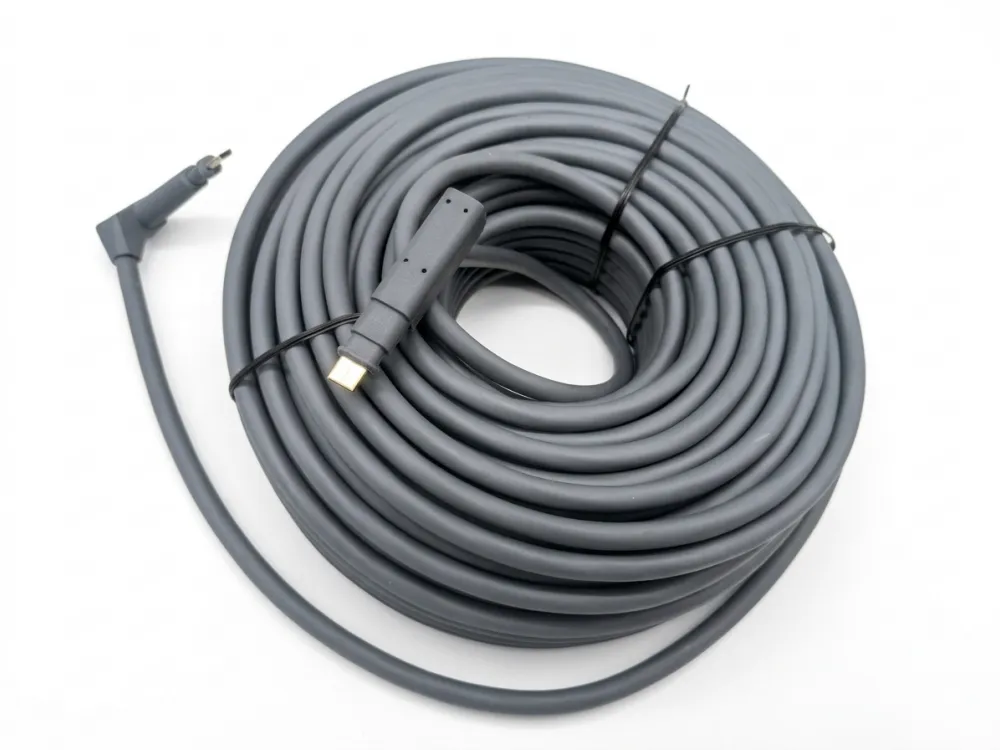
كابل Starlink هل هو Cat5e أو Cat6 أو Cat6A؟
أرسل إلينا أحد المشترين في الولايات المتحدة ذات مرة رسالة عبر البريد الإلكتروني يطلب فيها عرض "100 لفة من Cat6 لـ Starlink". كان علي أن أبطئه. الإجابة الحقيقية أكثر دقة مما تقترحه أي قائمة أمازون.
لم يصنفها مسؤول Starlink علنًا على أنها Cat5e أو Cat6 أو Cat6a. قامت الشركات المصنعة التابعة لجهات خارجية بإجراء هندسة عكسية للكابل الأصلي وصنعت كابلات بديلة وفقًا لمواصفات Cat5e أو Cat6 أو Cat6a التي اجتازت الاختبارات الوظيفية.
ما يقوله SpaceX في الواقع
إن التوثيق الرسمي لشركة SpaceX واضح في نقطة واحدة: يتوافق كابل Starlink مع معايير RJ45 (للجيل الثالث)، لكنهم لا يوصون بتعديل الكابل أو تمديده لأنهم لا يستطيعون ضمان جودة الخدمة. لم ينشروا مطلقًا تصنيف Cat للكابل الخاص بهم. لا يوجد ملصق Cat5e. لا يوجد ملصق Cat6a. لا شئ.
وهذا يهم أي شخص في مجال التوزيع. إذا ادعى البائع "كابل Cat6a Starlink الرسمي"، فإن هذا الادعاء لا يأتي من SpaceX.
كيف يتم تطوير كابلات الطرف الثالث
وهنا ما يحدث في الواقع. يحصل المهندسون والمصنعون - بما في ذلك فريقنا - على كابلات Starlink الأصلية، ويفككونها، ويحللون مقياس الموصل، وهيكل التدريع، وخصائص المعاوقة. ثم نقوم بتصميم أ استبدال كابل ستارلينك التي تطابق تلك المواصفات أو تتجاوزها. نقوم باختبار الكابل البديل باستخدام أجهزة Starlink الفعلية. إذا كان يوفر طاقة وبيانات مستقرة، فسيتم تمريره.
نحن نحلل:
- مقياس موصل النحاس الدقيق (AWG).
- كثافة التدريع وبنية الطبقة.
- المعاوقة المميزة (≈100Ω) وخسارة العودة عبر محللات شبكة Fluke.
معظم الكابلات البديلة في السوق - سواء تم بيعها على أمازون، أو في المتاجر المحلية، أو من خلال قنوات البيع بالجملة - تنشأ من عملية الهندسة العكسية هذه.
ما هو تصنيف Cat الذي تستخدمه الكابلات البديلة عادةً؟
بناءً على خبرتنا في الإنتاج وما نراه عبر الصناعة:
| تصنيف كابل الاستبدال | حالة الاستخدام النموذجية | لماذا هذا التقييم |
| Cat5e | بدائل الميزانية، على المدى القصير | يدعم ما يصل إلى 1 جيجابت في الثانية على مسافة 100 متر؛ يكفي لسرعات Starlink الحالية |
| القط6 | بدائل متوسطة المدى، الأكثر شعبية | حماية أفضل، تداخل أقل، يدعم 10 جيجابت في الثانية على مسافة 55 مترًا |
| كات6أ | بدائل متميزة، على المدى الطويل | سرعة كاملة تبلغ 10 جيجابت في الثانية على مسافة 100 متر، مع حماية فائقة ومقاوم للمستقبل |
بالنسبة لمعظم عمليات تثبيت Starlink اليوم، تعد Cat5e أو Cat6 مناسبة وظيفيًا. يصل اتصال Starlink نفسه حاليًا إلى حوالي 1 جيجابت في الثانية. لكن الموزعين الذين يرغبون في تسويق منتج متميز ومقاوم للمستقبل غالبًا ما يختارون Cat6a. إنه قرار تحديد الموقع بقدر ما هو قرار تقني.
عامل التدريع
الشيء الوحيد غير القابل للتفاوض: يجب حماية الكابل. تحمل كابلات Starlink الطاقة عبر الإيثرنت. يعرض الكابل غير المحمي خطر التداخل ويمكن أن يتسبب في فقدان البيانات أو حتى تلف الجهاز. يستخدم كل كابل بديل من Starlink ننتجه بنية محمية - عادةً F/UTP، أو SF/UTP، أو S/FTP - بغض النظر عن تصنيف Cat.
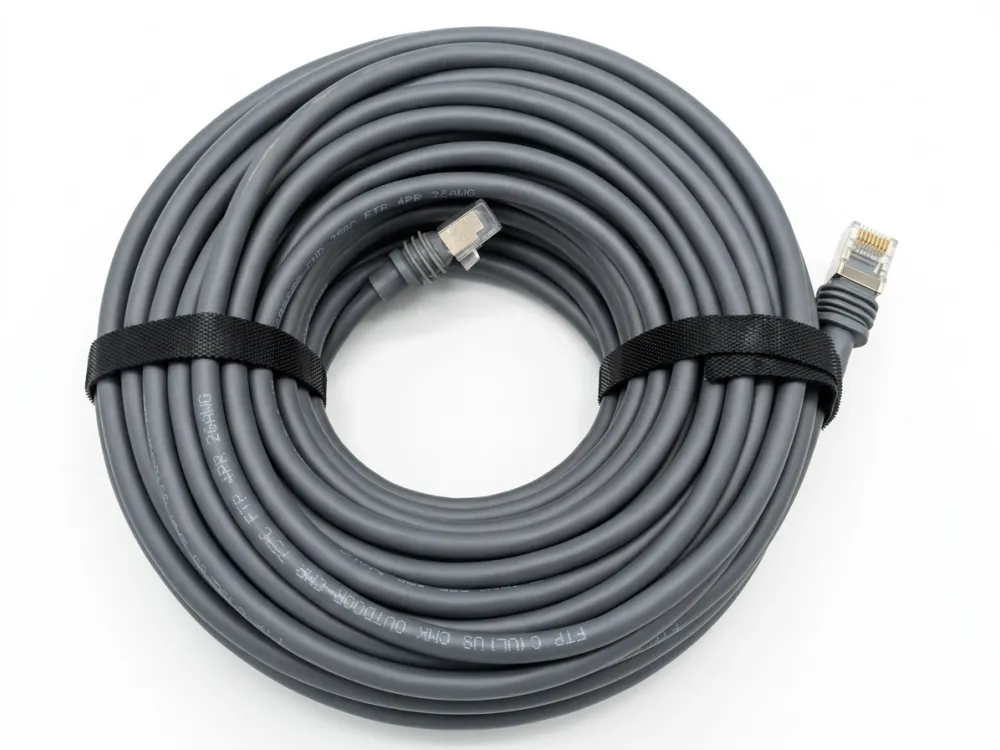
ما هي السرعة التي يدعمها كابل Starlink؟
عندما نقوم بمعايرة أجهزة الاختبار الخاصة بنا كابلات بديلة من ستارلينك، دائمًا ما يُطرح سؤال السرعة — والإجابة الصادقة تفاجئ معظم المشترين.
كابل Starlink نفسه ليس هو عنق الزجاجة في السرعة. توفر خدمة الجيل الثاني من SpaceX ما يصل إلى 1 جيجابت في الثانية تقريبًا، ويدعم الكابل المحمي من الجيل الثالث إنتاجية مماثلة أو أعلى. تعتمد سرعة الشبكة الفعلية على خطة خدمة Starlink ومنافذ جهاز التوجيه وجودة الكابل وبيئة التثبيت.
مطالبات التسويق مقابل الواقع
سترى البائعين يعلنون عن "1200 ميجابت في الثانية" لكابلات الجيل الثاني و"2000 ميجابت في الثانية" لكابلات الجيل الثالث. نريد أن نكون واضحين: لم تعلن شركة SpaceX رسميًا عن أي من هذه الأرقام لكابلاتها.
تقترب خدمة Gen 2 Starlink من 1 جيجابت في الثانية كحد أقصى. يبدو أن الرقم "1200 ميجابت في الثانية" هو عبارة عن زخرفة تسويقية من قبل بائعي الطرف الثالث. وبالمثل، في حين قدم الجيل الثالث حماية محسنة، لم تؤكد SpaceX علنًا تصنيف الكابل بسرعة 2000 ميجابت في الثانية. هذه مطالبات يحركها البائع، وليست مواصفات الشركة المصنعة.
ما الذي يحدد في الواقع سرعتك
تعتمد سرعة Starlink لديك على سلسلة من العوامل. الكابل هو وصلة واحدة فقط.
- مستوى خدمة ستارلينك — تحتوي جميع الخطط السكنية، وخطط الأعمال، والأولوية، والجوال على حدود سرعة مختلفة.
- تغطية الأقمار الصناعية والازدحام - إن موقعك وعدد المستخدمين الذين يشاركون شعاعك يهم أكثر من مواصفات الكابلات.
- قدرة جهاز التوجيه — إذا كان جهاز التوجيه الخاص بك يحتوي على منافذ Gigabit Ethernet فقط، فلن تتجاوز أبدًا 1 جيجابت في الثانية بغض النظر عن تصنيف الكابل.
- جودة الكابل وطوله — سيؤدي استخدام كابل سيئ الصنع أو تشغيله لفترة طويلة جدًا إلى انخفاض الأداء.
- بيئة التثبيت — يؤدي التداخل من الأجهزة الإلكترونية الأخرى والانحناءات الحادة والموصلات التالفة إلى تقليل الإنتاجية.
تصنيف الكابلات مقابل الإنتاجية في العالم الحقيقي
| تصنيف الكابل | السرعة النظرية القصوى | سرعة ستارلينك العملية | ملحوظات |
| Cat5e | 1 جيجابت في الثانية على مسافة 100 متر | ما يصل إلى 1 جيجابت في الثانية | يكفي لجميع خطط Starlink الحالية |
| القط6 | 10 جيجابت في الثانية عند 55 م / 1 جيجابت في الثانية عند 100 م | ما يصل إلى 1 جيجابت في الثانية | أفضل رفض الحديث المتبادل |
| كات6أ | 10 جيجابت في الثانية على مسافة 100 متر | ما يصل إلى 1 جيجابت في الثانية (الحالي) | مقاوم للمستقبل إذا قام Starlink بترقية السرعات |
الكابل لا يخلق السرعة. فهو إما يدعم السرعة أو يحد منها. في الوقت الحالي، حتى Cat5e لا يحد من Starlink. ولكن إذا تجاوزت SpaceX 1 جيجابت في الثانية في المستقبل - وهو ما يشير التدريع المحسن للجيل الثالث إلى أنهم يستعدون له - فإن Cat6a يمنحك مساحة كبيرة.
ملاحظة حول PoE والسرعة
تضيف الطاقة عبر الإيثرنت تيارًا كهربائيًا إلى نفس الموصلات التي تحمل البيانات. هذا هو السبب في أهمية الحماية وجودة الكابلات بالنسبة لـ Starlink أكثر من تشغيل Ethernet المكتبي النموذجي. يؤدي التدريع الضعيف تحت حمل PoE إلى حدوث ضوضاء تقلل من إنتاجية البيانات. عندما نختبر الكابلات الخاصة بنا، فإننا نختبرها تحت حمل PoE الكامل، وليس فقط في ظروف البيانات فقط. هذه هي الطريقة الوحيدة للحصول على قياس سرعة صادق.
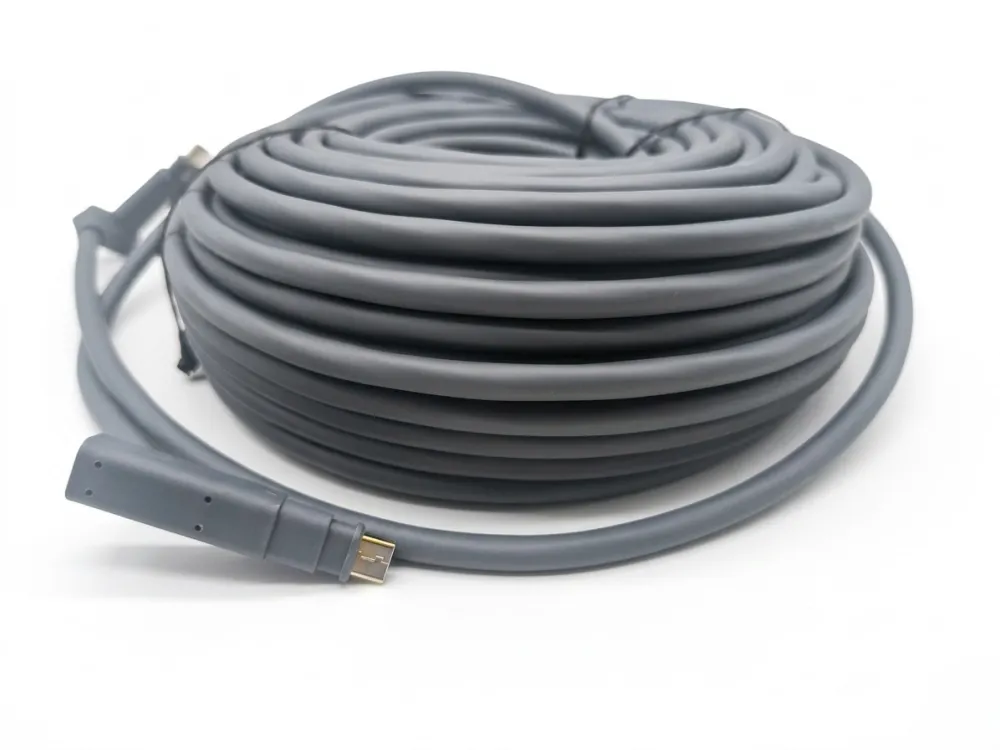
لماذا يقول بعض البائعين 24AWG مقابل 26AWG و1200 ميجابت في الثانية أو 2000 ميجابت في الثانية؟
خلال محادثة أجريت مؤخرًا في معرض تجاري، سألني أحد الموزعين من ألمانيا بشكل مباشر: "لماذا تقول إحدى قوائم أمازون 24AWG وتقول أخرى 26AWG لنفس كابل Starlink؟" إنه سؤال عادل، والإجابة تكشف كيف يعمل سوق الكابلات البديلة فعليًا.
يشير الفرق 24AWG مقابل 26AWG إلى سمك الموصل، وليس السرعة. يتميز سلك 24AWG الأكثر سمكًا بمقاومة كهربائية أقل، مما يقلل من انخفاض الجهد والحرارة - وهو أمر بالغ الأهمية لوظيفة PoE الخاصة بـ Starlink على مدى تشغيل الكابلات الطويلة. إن مطالبات 1200 ميجابت في الثانية و2000 ميجابت في الثانية هي أرقام تسويقية تابعة لجهات خارجية، وليست مواصفات SpaceX الرسمية.
فهم AWG: يتعلق الأمر بالقوة وليس السرعة
AWG لتقف على مقياس الأسلاك الأمريكية. الرقم الأقل يعني موصل أكثر سمكًا. 24AWG أكثر سمكًا من 26AWG. فيما يلي الفكرة الأساسية التي يخطئ معظم البائعين في فهمها: الميزة الأساسية للسلك الأكثر سمكًا في كابل Starlink ليست سرعة البيانات الأعلى. إنه توصيل أفضل للطاقة.
تستمد أطباق Starlink طاقة كبيرة من خلال الكابل. يجب أن يحمل الكابل كلا من البيانات والتيار الكهربائي في وقت واحد. تتمتع الموصلات السميكة بمقاومة أقل. المقاومة المنخفضة تعني انخفاضًا أقل في الجهد عبر المسافة وحرارة أقل متولدة في الكابل.
تُظهر بيانات الصناعة المستمدة من مراجع هندسة الكابلات أنه في ظل نفس حمل الطاقة، يمكن أن تفقد الموصلات 26AWG طاقة أكبر بنسبة 60% تقريبًا بسبب التسخين المقاوم مقارنة بالموصلات 24AWG. يعد هذا الاختلاف مهمًا أثناء الجري لمسافة 45 مترًا في الهواء الطلق في حرارة الصيف.
متى تختار 24AWG مقابل 26AWG
| عامل | 24AWG | 26AWG |
| قطر الموصل | قلب نحاسي أكثر سمكًا | أرق النحاس الأساسية |
| المقاومة لكل متر | أدنى | أعلى |
| انخفاض الجهد (التشغيل الطويل) | أقل | أكثر |
| توليد الحرارة | أقل | أكثر |
| مرونة الكابل | أكثر صلابة قليلا | أكثر مرونة |
| أفضل ل | المسافات الطويلة (30 م+)، المناخات الحارة | مسافات قصيرة (أقل من 15 مترًا)، توجيه محكم |
| يكلف | أعلى قليلا | أقل قليلا |
ل كابل ستارلينك مسافة 150 قدمًا (حوالي 45 مترًا)، نوصي دائمًا بـ 24AWG لمشتري الجملة لدينا. إن توفير انخفاض الجهد له معنى في تلك المسافة. لمسافة قصيرة تبلغ 15 مترًا في مناخ معتدل، يعمل 26AWG بشكل جيد ويسهل توجيهه عبر المساحات الضيقة.
مشكلة التسويق بسرعة 1200 ميجابت في الثانية و2000 ميجابت في الثانية
اسمحوا لي أن أكون مباشرا. هذه الأرقام ليست من SpaceX. إنها مطالبات تسويقية أنشأها بائعون خارجيون لتمييز منتجاتهم. تدعم خدمة Gen 2 Starlink ما يصل إلى 1 جيجابت في الثانية تقريبًا. قد يدعم الجيل الثالث إنتاجية أعلى في المستقبل، لكن SpaceX لم تنشر مواصفات الكابل "2000 ميجابت في الثانية".
عندما ننتج كابلات لشركائنا في مجال الأعمال المباشرة بين الشركات (B2B)، فإننا لا نضع مطالبات بالسرعة لم يتم التحقق منها على العبوة. نحن نحدد تصنيف Cat، وAWG، ونوع التدريع، وخيارات طول الكابل. هذه مواصفات يمكن التحقق منها وقابلة للاختبار. إن مطالبات السرعة التي لا يمكن التحقق منها بشكل مستقل تشكل مسؤولية على عاتق الموزعين.
كيف تبدو المواصفات الصادقة
إليك ما نضعه على أوراق منتجاتنا الخاصة:
- تصنيف القط: Cat5e أو Cat6 أو Cat6a (اختيار العميل)
- مقياس الموصل: 24AWG أو 26AWG (اختيار العميل)
- التدريع: F/UTP أو SF/UTP أو S/FTP
- موصل: متوافق مع Starlink Gen 2 (ملكية) أو Gen 3 (RJ45)
- تصنيف للماء: IP67
- تم اختباره تحت حمل PoE: نعم
لا توجد مطالبات بالسرعة المتضخمة. لا شهادات وهمية. مجرد مواصفات صادقة يمكن لعملائك الوثوق بها.
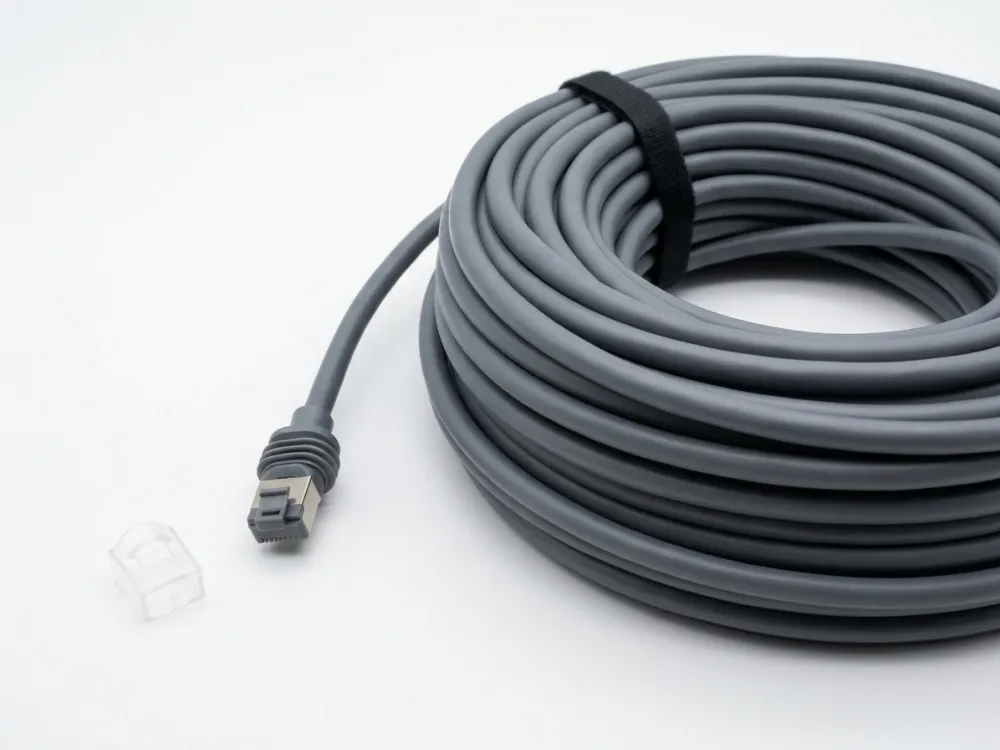
كيفية اختيار كابل استبدال Starlink المناسب؟
إن المقايضة التي نتعامل معها مع كل عميل جديد للبيع بالجملة هي: هل تقوم بتخزين وحدة SKU عالمية واحدة، أم أنك تحمل كابلات خاصة بالجيل؟ الجواب يعتمد على السوق الخاص بك.
لاختيار بديل كابل Starlink المناسب، حدد أولاً جيل Starlink (الجيل 2 أو الجيل 3 أو Mini)، ثم حدد نوع الموصل المناسب وطول الكابل وتصنيف Cat ومقياس الموصل بناءً على مسافة التثبيت والبيئة. توفر كابلات الجيل الثالث مع موصلات RJ45 أقصى قدر من المرونة.
الخطوة 1: تحديد جيل Starlink
هذا هو الخطأ الأكثر شيوعًا الذي يرتكبه المشترون. يطلبون كابل Gen 3 لطبق Gen 2، أو العكس. الموصلات مختلفة جسديا. لن يتم توصيل كابل Gen 2 بجهاز توجيه Gen 3 بدون محول. يعد كابل Starlink Mini منتجًا مختلفًا تمامًا.
قبل تقديم أي طلب — سواء للتثبيت الخاص بك أو لمخزون إعادة البيع — قم بتأكيد عملية الإنشاء. تحقق من شكل الطبق أو طراز جهاز التوجيه أو موصل الكابل الأصلي.
الخطوة 2: اختر الموصل الصحيح
بالنسبة للجيل الثاني، تحتاج إلى موصل SPX الخاص. بالنسبة للجيل الثالث، تحتاج إلى موصلات RJ45 القياسية. تقدم بعض الكابلات البديلة تصميمًا هجينًا مع موصل خاص على طرف الطبق وموصل RJ45 على طرف جهاز التوجيه. يمكن أن يؤدي ذلك إلى تبسيط عمليات التثبيت حيث يرغب العميل في استخدام معدات الشبكات القياسية في اتجاه مجرى النهر.
الخطوة 3: حدد طول الكابل
تختلف خيارات طول الكابل. الأطوال الأكثر شيوعًا التي ننتجها هي:
- 15 م (49 قدمًا) — استبدال قياسي، يطابق كابل المجموعة الأصلي
- 23 م (75 قدمًا) — مشهورة بالأطباق المثبتة على السطح ذات مسارات توجيه أطول
- 30 م (100 قدم) - شائع للمنازل المكونة من طابقين أو المباني التجارية
- 45 م (150 قدمًا) - الحد الأقصى الموصى به لمعظم المنشآت
بالنسبة للمسافة التي تتجاوز 45 مترًا، تصبح سلامة الإشارة وانخفاض الجهد مصدر قلق. إذا كان عميلك يحتاج إلى كابل ستارلينك يوصى بشدة باستخدام موصلات 24AWG ودرع Cat6a بطول 150 قدمًا أو أكثر.
الخطوة 4: مطابقة المواصفات للبيئة
تحتاج التركيبات الخارجية إلى غلاف مقاوم للأشعة فوق البنفسجية وعزل للماء بمعيار IP67. يمكن للجري الداخلي فقط استخدام الغلاف القياسي. تحتاج المناخات الباردة إلى كابلات مصممة لمرونة درجات الحرارة المنخفضة. تستفيد المناخات الحارة من 24AWG لتقليل تراكم الحرارة تحت حمل PoE.
الخطوة 5: ضع في اعتبارك احتياجات عميلك
إذا كنت موزعًا يخدم بائعي أمازون، فإنهم يريدون عبوات مخصصة وخيارات محددة لطول الكابل وفترات زمنية سريعة. إذا كنت تخدم مقاولي التركيب، فإنهم يريدون بكرات كبيرة وجودة ثابتة. نحن ندعم كلا الطرازين بتصميم تغليف مخصص، وأطوال وألوان كابل قابلة للتخصيص، والحد الأدنى لكميات الطلب المنخفضة.
تشكيلة كابلات Starlink البديلة لدينا
نحن ننتج بدائل كابل Starlink Gen 2، وبدائل كابل Starlink Gen 3، وخيارات كابل Starlink Mini. يتم اختبار كل كابل تحت تحميل PoE قبل الشحن. نحن نقدم خيارات Cat5e وCat6 وCat6a في كل من 24AWG و26AWG. تتوفر أطوال مخصصة من 1 متر إلى 100 متر. تأتي التصميمات المقاومة للماء مع موصلات ذات تصنيف IP67 بشكل قياسي في نماذج الكابلات ذات التصنيف الخارجي.
بالنسبة للموزعين وكبار البائعين في أمازون في أكثر من 60 دولة، فإننا نقدم خدمات تصنيع المعدات الأصلية وتصنيع التصميم الشخصي. تعد العلامات التجارية المخصصة والتعبئة الجاهزة للبيع بالتجزئة وتوافر العينات كلها جزءًا من العملية. إن المهلة الزمنية النموذجية لدينا من تأكيد الطلب إلى الشحن سريعة بما يكفي للحفاظ على حركة مخزونك.
خاتمة
تعتبر كابلات Starlink متخصصة ومحددة بجيل معين ويساء فهمها على نطاق واسع - ولكن الآن لديك الصورة الكاملة لاتخاذ قرارات مستنيرة بشأن المصادر.
هل تتطلع إلى بيع كابلات Starlink Gen 2 أو Gen 3 أو Mini عالية الجودة بالجملة أو تخصيصها؟ باعتبارها موردًا محترفًا للكابلات يخدم الموزعين وكبار البائعين على موقع Amazon في أكثر من 60 دولة، توفر Newlinko خدمات OEM/ODM بأطوال مخصصة وتصميمات مقاومة للماء وموك منخفض وتسليم سريع. اتصل اليوم للحصول على عرض أسعار سريع وتوافر العينة!