Lewati ke konten
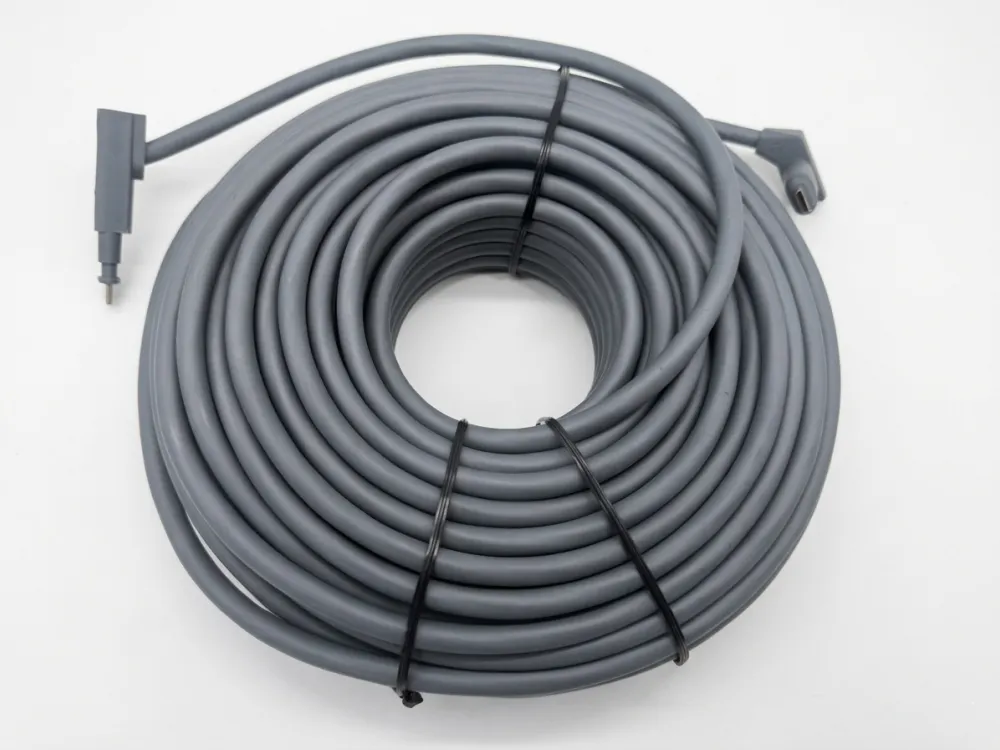
Ketika kami mulai memproduksi kabel pengganti Starlink di lini produksi kami, pertanyaan pertama yang ditanyakan setiap distributor adalah sama: kabel apa yang sebenarnya digunakan Starlink?
Kabel Starlink menggunakan kabel Power over Ethernet (PoE) berpelindung yang membawa data dan daya ke antena parabola. Ini bukan kabel Ethernet standar. Gen 2 menggunakan konektor berpemilik, sedangkan Gen 3 beralih ke konektor RJ45 standar untuk memudahkan perpanjangan dan penggantian.
Jawabannya terdengar sederhana, namun detailnya penting — terutama jika Anda mencari kabel untuk dijual kembali atau untuk instalasi besar. Izinkan saya memandu Anda melewati setiap generasi, setiap spesifikasi, dan setiap kesalahpahaman yang saya temui.
Evolusi Kabel Starlink: Gen 1 hingga Gen 3 & Mini?
Satu pelajaran yang kami pelajari sejak awal ketika mengembangkan kami Penggantian kabel Starlink Intinya adalah bahwa setiap generasi Starlink memperkenalkan desain kabel yang berbeda secara fundamental, dan mencampurkannya menyebabkan masalah nyata bagi pemasang.
Kabel Starlink berevolusi dari kabel bundar panjang milik Gen 1 menjadi kabel pita datar pendek Gen 2 dengan konektor khusus, lalu ke kabel berpelindung berbasis RJ45 standar Gen 3, sedangkan Starlink Mini menggunakan kabel daya DC terpisah, bukan PoE.
Gen 1: Kabel Piringan Bulat Asli
Piringan bundar Gen 1 dikirimkan dengan kabel sepanjang 30 meter (sekitar 100 kaki). Itu adalah kabel bundar yang dipasang di luar ruangan dengan konektor khusus di setiap ujungnya. Anda tidak dapat menukarnya dengan apa pun yang ada di rak. Jika Anda perlu berlari lebih lama, Anda terjebak. SpaceX tidak menjual kit ekstensi untuk generasi ini.
Gen 2: Desain Pita Datar
Kabel Starlink Gen 2 mengubah segalanya secara visual. Ini memiliki profil datar seperti pita, berukuran tebal sekitar 5 mm dan lebar sekitar 7–8 mm berdasarkan pengukuran purnajual. Desain pita datar ini merupakan peningkatan praktis. Ini memungkinkan pemasang mengarahkan kabel melalui dinding menggunakan lubang yang lebih kecil, sekitar 19mm (¾ inci). Panjang kabel turun menjadi 15 meter (49 kaki) untuk kit standar. Kit berperforma tinggi hadir dengan opsi 25 meter.
Konektornya tetap menjadi hak milik. SpaceX menyebutnya konektor SPX. Anda memerlukan adaptor Starlink Ethernet untuk mengonversi ke port RJ45 standar. Kabelnya sendiri terlindung, tahan UV, dan diberi peringkat IP67 untuk kedap air. Itu membawa data dan daya secara bersamaan melalui Power over Ethernet.
Catatan: Kami membaca beberapa artikel yang mencantumkan kabel Starlink Gen 2 sebagai “lebar 8cm”, tetapi ini kemungkinan merupakan kesalahan unit. Lebar sekitar 8 mm lebih sesuai dengan pengukuran pengguna dan persyaratan perutean kabel Starlink.
Kejadian 3: Revolusi RJ45
Kabel Starlink Gen 3, yang diluncurkan pada tahun 2024, merupakan perubahan terbesar. Kabel sekarang menggunakan konektor RJ45 standar. Ini berarti Anda dapat memperpanjangnya dengan kabel Ethernet Cat6 atau Cat6a umum dan coupler tahan air. Tidak ada lagi adaptor berpemilik. Panjang defaultnya masih 15 meter, dengan opsi 45 meter tersedia dari SpaceX.
Starlink Mini: Pendekatan Berbeda
Starlink Mini tidak menggunakan kabel PoE sama sekali. Menggunakan kabel listrik DC sepanjang 15 meter. Mini dirancang untuk portabilitas dan konsumsi daya yang lebih rendah. Mendukung opsi input USB-C PD dan 12V DC. Ini adalah jenis kabel yang benar-benar berbeda, dan tidak dapat dipertukarkan dengan kabel parabola standar.
| Fitur Teknis | Gen 1 (Melingkar) | Gen 2 (Digerakkan Standar) | Generasi 3 (V4 Standar) | Starlink Mini (Portabel) |
| Tipe Antarmuka Fisik | Standar RJ45 (Boot tahan cuaca) | SPX berpemilik (Geometris berukuran besar khusus) | Standar RJ45 (Boot segel karet khusus) | DC 5-Pin eksklusif + Standar RJ45 (Data) |
| Faktor Bentuk Kabel | Bulat Berpelindung Ganda | Pita Datar (~7–8mm) | Pita Datar (~7–8mm) | Kabel Daya DC Bulat (Data menggunakan jaring bulat standar) |
| Panjang Paket Default | 30 m (100 kaki) | 15 m (49 kaki) | 15 m (49 kaki) | 15 m (49 kaki) |
| Protokol Transmisi | Daya + Data (PoE Watt Tinggi Non-standar) | Daya + Data (PoE SPX Kepemilikan) | Daya + Data (PoE Standar dengan watt tinggi) | Daya Hanya melalui Kabel DC (Rute data melalui Wi-Fi/RJ45) |
| Perlindungan Masuknya (IP) | Nilai Luar Ruangan | IP67 | IP67 | IP67 |
| Perpanjangan Daya Langsung | Didukung (Melalui coupler RJ45 berpelindung) | TIDAK (Membutuhkan adaptor SPX-ke-RJ45 pihak ketiga) | Didukung (Melalui coupler Cat6/6a tahan air) | Didukung (Melalui ekstensi barel DC / USB-C PD) |
| Perluasan Data Langsung | Didukung | TIDAK (Membutuhkan adaptor) | Didukung (Hingga 100m / 328 kaki) | Didukung (Colokkan Cat6 standar langsung ke port mesh Mini) |
Tabel ini adalah satu-satunya referensi paling berguna yang dapat saya berikan kepada manajer pengadaan. Cetak itu. Bagikan dengan tim Anda. Ini mencegah kesalahan pemesanan.
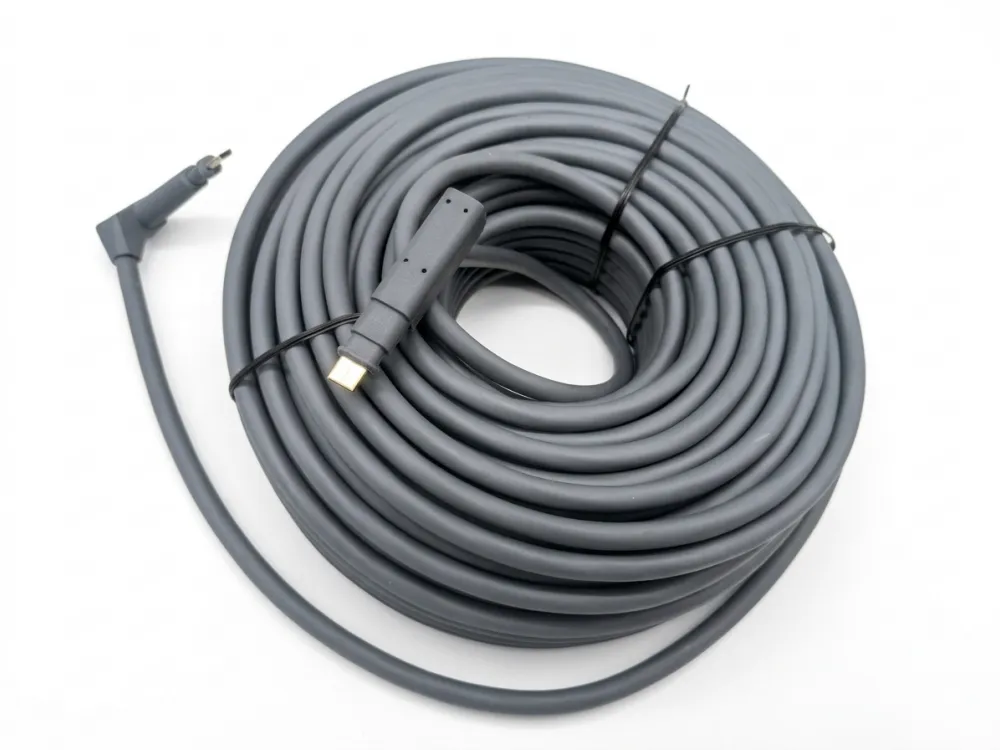
Kabel Starlink Apakah Cat5e, Cat6, atau Cat6A?
Seorang pembeli di AS pernah mengirim email kepada kami meminta penawaran “100 gulungan Cat6 untuk Starlink.” Saya harus memperlambatnya. Jawaban sebenarnya lebih bernuansa daripada yang disarankan oleh daftar Amazon mana pun.
Pejabat Starlink tidak pernah mengklasifikasikannya secara publik sebagai Cat5e, Cat6, atau Cat6a. Produsen pihak ketiga merekayasa balik kabel asli dan membuat kabel pengganti sesuai spesifikasi Cat5e, Cat6, atau Cat6a yang lulus pengujian fungsional.
Apa yang Sebenarnya Dikatakan SpaceX
Dokumentasi resmi SpaceX jelas dalam satu hal: kabel Starlink sesuai dengan standar RJ45 (untuk Gen 3), tetapi mereka tidak menyarankan modifikasi atau perpanjangan kabel karena tidak dapat menjamin kualitas layanan. Mereka tidak pernah mempublikasikan peringkat Cat untuk kabel mereka. Tidak ada label Cat5e. Tidak ada label Cat6a. Tidak ada apa-apa.
Ini penting bagi siapa pun yang berkecimpung dalam bisnis distribusi. Jika penjual mengklaim “kabel Cat6a Starlink resmi”, klaim tersebut tidak datang dari SpaceX.
Bagaimana Kabel Pihak Ketiga Dikembangkan
Inilah yang sebenarnya terjadi. Insinyur dan produsen — termasuk tim kami sendiri — mendapatkan kabel Starlink asli, membongkarnya, dan menganalisis pengukur konduktor, struktur pelindung, dan karakteristik impedansi. Kami kemudian merancang a Penggantian kabel Starlink yang sesuai atau melebihi spesifikasi tersebut. Kami menguji kabel pengganti dengan perangkat keras Starlink yang sebenarnya. Jika ia memberikan daya dan data yang stabil, ia lolos.
Kami menganalisis:
- Pengukur konduktor tembaga (AWG) yang tepat.
- Kepadatan pelindung dan arsitektur lapisan.
- Impedansi karakteristik (≈100Ω) dan return loss melalui penganalisis jaringan Fluke.
Sebagian besar kabel pengganti di pasaran – baik yang dijual di Amazon, di toko lokal, atau melalui saluran grosir – berasal dari proses rekayasa balik ini.
Berapa Peringkat Cat yang Biasanya Digunakan Kabel Pengganti?
Berdasarkan pengalaman produksi kami dan apa yang kami lihat di seluruh industri:
| Peringkat Kabel Pengganti | Kasus Penggunaan Khas | Mengapa Peringkat Ini |
| Cat5e | Penggantian anggaran, jangka pendek | Mendukung hingga 1 Gbps pada 100 m; cukup untuk kecepatan Starlink saat ini |
| Kucing6 | Pengganti kelas menengah, paling populer | Perlindungan lebih baik, crosstalk lebih rendah, mendukung 10 Gbps pada 55 m |
| Cat6a | Penggantian premium, jangka panjang | Penuh 10 Gbps pada jarak 100 m, perlindungan unggul, tahan masa depan |
Untuk sebagian besar instalasi Starlink saat ini, Cat5e atau Cat6 secara fungsional sudah memadai. Koneksi Starlink sendiri saat ini mencapai sekitar 1 Gbps. Namun distributor yang ingin memasarkan produk premium dan tahan masa depan sering kali memilih Cat6a. Ini adalah keputusan penentuan posisi dan juga keputusan teknis.
Faktor Pelindung
Satu hal yang tidak bisa dinegosiasikan: kabel harus dilindungi. Kabel Starlink membawa Power over Ethernet. Kabel tanpa pelindung menimbulkan risiko interferensi dan dapat menyebabkan hilangnya data atau bahkan kerusakan peralatan. Setiap kabel pengganti Starlink yang kami produksi menggunakan konstruksi berpelindung — biasanya F/UTP, SF/UTP, atau S/FTP — apa pun peringkat Catnya.
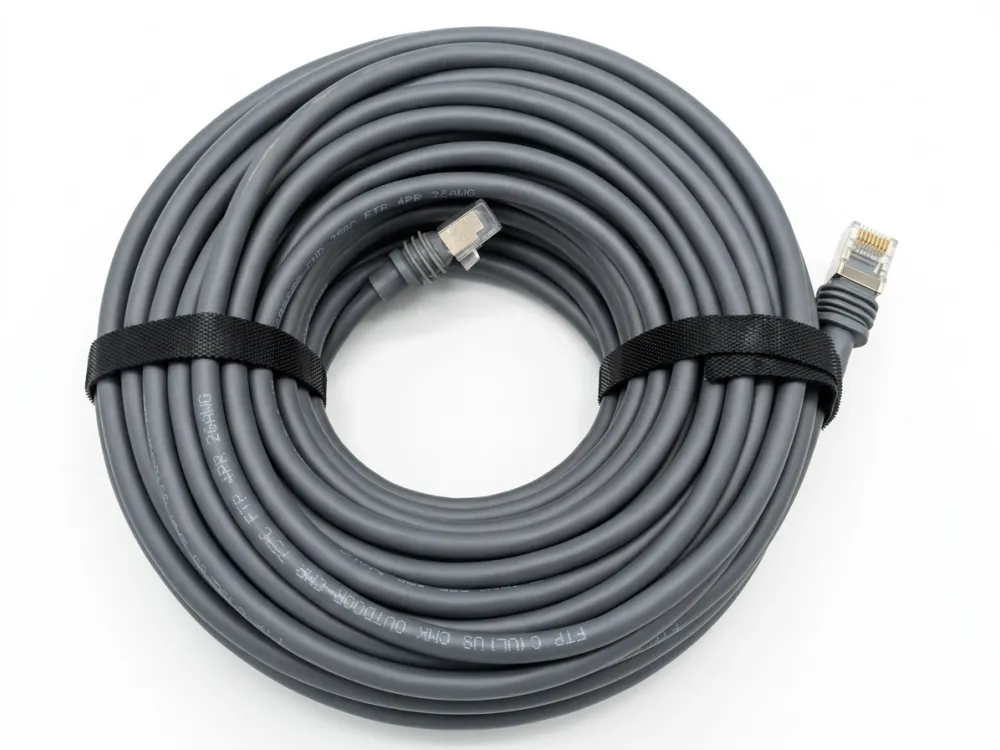
Berapa Kecepatan yang Didukung Kabel Starlink?
Saat kami mengkalibrasi rig pengujian kami Kabel pengganti Starlink, pertanyaan cepat selalu muncul — dan jawaban jujurnya mengejutkan sebagian besar pembeli.
Kabel Starlink sendiri bukanlah penghambat kecepatan. Layanan Gen 2 SpaceX memberikan kecepatan hingga 1 Gbps, dan kabel berpelindung Gen 3 mendukung throughput yang serupa atau lebih tinggi. Kecepatan jaringan sebenarnya bergantung pada paket layanan Starlink, port router, kualitas kabel, dan lingkungan instalasi.
Klaim Pemasaran vs. Kenyataan
Anda akan melihat penjual mengiklankan “1200 Mbps” untuk kabel Gen 2 dan “2000 Mbps” untuk kabel Gen 3. Kami ingin berterus terang: SpaceX belum secara resmi menyatakan nomor-nomor ini untuk kabel mereka.
Layanan Starlink Gen 2 mendekati maksimum 1 Gbps. Angka “1200 Mbps” tampaknya merupakan hiasan pemasaran yang dilakukan oleh penjual pihak ketiga. Demikian pula, meskipun Gen 3 memperkenalkan perlindungan yang lebih baik, SpaceX belum secara publik mengonfirmasi peringkat kabel 2000 Mbps. Ini adalah klaim yang didorong oleh penjual, bukan spesifikasi pabrikan.
Apa yang Sebenarnya Menentukan Kecepatan Anda
Kecepatan Starlink Anda bergantung pada serangkaian faktor. Kabelnya hanya satu link.
- Tingkat layanan Starlink — Paket Perumahan, Bisnis, Prioritas, dan Seluler semuanya memiliki batas kecepatan yang berbeda.
- Cakupan dan kemacetan satelit — Lokasi Anda dan berapa banyak pengguna yang membagikan pancaran Anda lebih penting daripada spesifikasi kabel.
- Kemampuan router — Jika router Anda hanya memiliki port Gigabit Ethernet, Anda tidak akan pernah melebihi 1 Gbps, apa pun peringkat kabelnya.
- Kualitas dan panjang kabel — Kabel yang dibuat dengan buruk atau jangka waktu yang terlalu panjang akan menurunkan kinerja.
- Lingkungan instalasi — Gangguan dari perangkat elektronik lain, tikungan tajam, dan konektor yang rusak semuanya mengurangi throughput.
Peringkat Kabel vs. Throughput Dunia Nyata
| Peringkat Kabel | Kecepatan Teoritis Maksimum | Kecepatan Starlink Praktis | Catatan |
| Cat5e | 1 Gbps pada 100 m | Hingga 1 Gbps | Cukup untuk semua paket Starlink saat ini |
| Kucing6 | 10 Gbps pada 55 m / 1 Gbps pada 100 m | Hingga 1 Gbps | Penolakan crosstalk yang lebih baik |
| Cat6a | 10 Gbps pada 100 m | Hingga 1 Gbps (saat ini) | Bukti masa depan jika Starlink meningkatkan kecepatan |
Kabel tidak menciptakan kecepatan. Ini mendukung kecepatan atau membatasinya. Saat ini, bahkan Cat5e tidak membatasi Starlink. Namun jika SpaceX melampaui 1 Gbps di masa depan – yang menurut peningkatan perlindungan Gen 3 sedang mereka persiapkan – Cat6a memberi Anda ruang yang lebih luas.
Catatan tentang PoE dan Kecepatan
Power over Ethernet menambahkan arus listrik ke konduktor yang sama yang membawa data. Inilah sebabnya mengapa pelindung dan kualitas kabel lebih penting untuk Starlink dibandingkan untuk pengoperasian Ethernet kantor pada umumnya. Perlindungan yang buruk pada beban PoE menimbulkan kebisingan yang menurunkan throughput data. Saat kami menguji kabel, kami mengujinya dalam kondisi beban PoE penuh, bukan hanya kondisi data saja. Itulah satu-satunya cara untuk mendapatkan pengukuran kecepatan yang jujur.
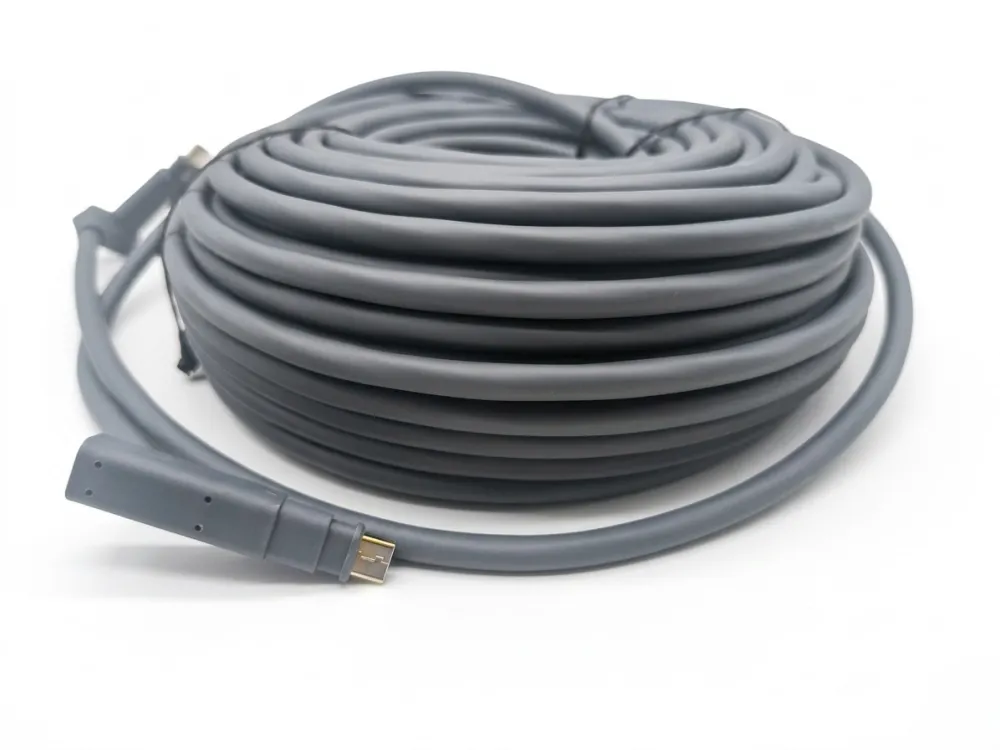
Mengapa Beberapa Penjual Mengatakan 24AWG vs 26AWG dan 1200Mbps atau 2000Mbps?
Selama percakapan di pameran dagang baru-baru ini, seorang distributor dari Jerman bertanya langsung kepada saya: “Mengapa satu listingan Amazon menyebutkan 24AWG dan yang lain mengatakan 26AWG untuk kabel Starlink yang sama?” Ini adalah pertanyaan yang wajar, dan jawabannya mengungkapkan bagaimana sebenarnya pasar kabel pengganti bekerja.
Perbedaan 24AWG vs 26AWG mengacu pada ketebalan konduktor, bukan kecepatan. Kabel 24AWG yang lebih tebal memiliki hambatan listrik yang lebih rendah, sehingga mengurangi penurunan tegangan dan panas — penting untuk fungsi PoE Starlink pada kabel yang panjang. Klaim 1200Mbps dan 2000Mbps adalah angka pemasaran pihak ketiga, bukan spesifikasi resmi SpaceX.
Memahami AWG: Ini Tentang Kekuatan, Bukan Kecepatan
AWG adalah singkatan dari American Wire Gauge. Angka yang lebih rendah berarti konduktor yang lebih tebal. 24AWG lebih tebal dari 26AWG. Berikut adalah wawasan utama yang salah oleh sebagian besar penjual: keuntungan utama dari kabel yang lebih tebal pada kabel Starlink bukanlah kecepatan data yang lebih tinggi. Ini adalah pengiriman daya yang lebih baik.
Piringan Starlink menarik daya yang signifikan melalui kabel. Kabel harus membawa data dan arus listrik secara bersamaan. Konduktor yang lebih tebal memiliki resistansi yang lebih rendah. Resistansi yang lebih rendah berarti lebih sedikit penurunan tegangan jarak jauh dan lebih sedikit panas yang dihasilkan dalam kabel.
Data industri dari referensi teknik kabel menunjukkan bahwa di bawah beban daya yang sama, konduktor 26AWG dapat kehilangan sekitar 60% lebih banyak daya akibat pemanasan resistif dibandingkan dengan konduktor 24AWG. Selama lari luar ruangan sejauh 45 meter di musim panas, perbedaan itu penting.
Kapan Memilih 24AWG vs 26AWG
| Faktor | 24AWG | 26AWG |
| Diameter Konduktor | Inti Tembaga Lebih Tebal | Inti Tembaga Lebih Tipis |
| Resistansi per Meter | Lebih rendah | Lebih tinggi |
| Penurunan Tegangan (Jarak Jauh) | Lebih sedikit | Lagi |
| Pembangkitan Panas | Lebih sedikit | Lagi |
| Fleksibilitas Kabel | Sedikit lebih kaku | Lebih fleksibel |
| Terbaik Untuk | Jangka panjang (30 m+), iklim panas | Jalur pendek (di bawah 15 m), jalur sempit |
| Biaya | Sedikit lebih tinggi | Sedikit lebih rendah |
Untuk a Kabel tautan bintang Lari 150 kaki (sekitar 45 m), kami selalu merekomendasikan 24AWG kepada pembeli grosir kami. Penghematan penurunan tegangan sangat berarti pada jarak tersebut. Untuk lari pendek sejauh 15 meter di iklim sedang, 26AWG berfungsi dengan baik dan lebih mudah untuk melewati ruang sempit.
Masalah Pemasaran 1200Mbps dan 2000Mbps
Biarkan saya berterus terang. Nomor-nomor ini bukan dari SpaceX. Itu adalah klaim pemasaran yang dibuat oleh penjual pihak ketiga untuk membedakan produk mereka. Layanan Starlink Gen 2 mendukung sekitar 1 Gbps. Gen 3 mungkin mendukung throughput yang lebih tinggi di masa depan, tetapi SpaceX belum menerbitkan spesifikasi kabel “2000 Mbps”.
Saat kami memproduksi kabel untuk mitra B2B kami, kami tidak mencantumkan klaim kecepatan yang belum terverifikasi pada kemasannya. Kami menentukan opsi rating Cat, AWG, jenis pelindung, dan panjang kabel. Itu adalah spesifikasi yang dapat diverifikasi dan diuji. Klaim kecepatan yang tidak dapat diverifikasi secara independen menimbulkan tanggung jawab bagi distributor.
Seperti Apa Spesifikasi Jujurnya
Inilah yang kami masukkan ke lembar produk kami sendiri:
- Peringkat kucing: Cat5e, Cat6, atau Cat6a (pilihan pelanggan)
- Pengukur konduktor: 24AWG atau 26AWG (pilihan pelanggan)
- Melindungi: F/UTP, SF/UTP, atau S/FTP
- Penyambung: Kompatibel dengan Starlink Gen 2 (eksklusif) atau Gen 3 (RJ45)
- Peringkat tahan air: IP67
- Diuji di bawah beban PoE: Ya
Tidak ada klaim kecepatan yang meningkat. Tidak ada sertifikasi palsu. Hanya spesifikasi jujur yang dapat dipercaya oleh pelanggan Anda.
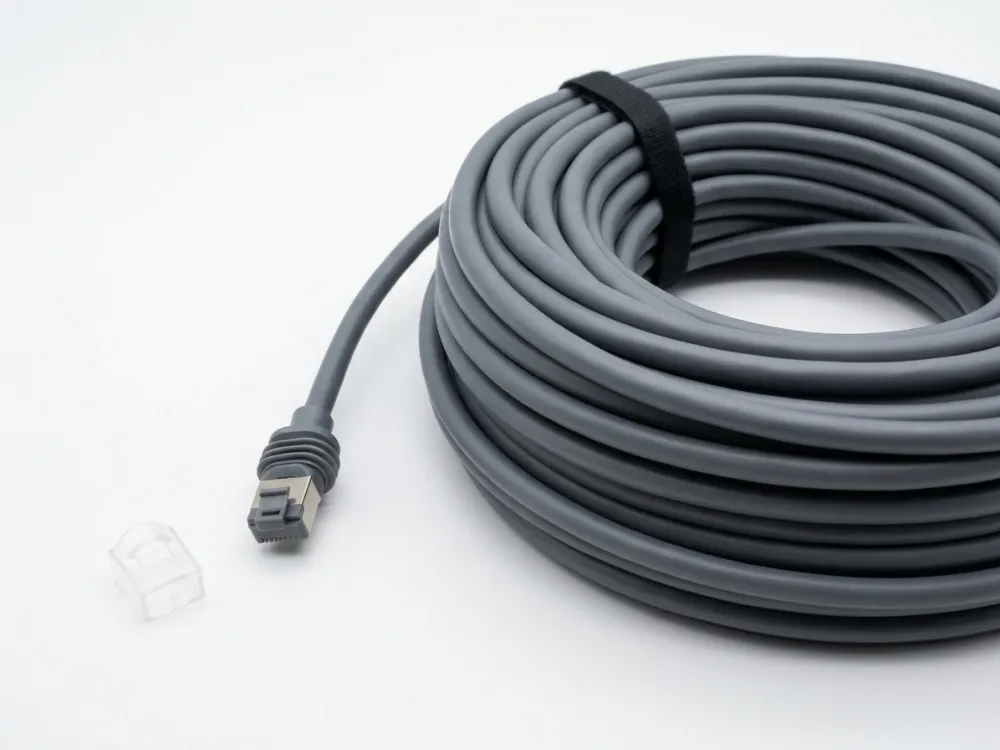
Bagaimana Cara Memilih Kabel Pengganti Starlink yang Tepat?
Pertukaran yang kami pertimbangkan dengan setiap pelanggan grosir baru adalah: apakah Anda menyediakan satu SKU universal, atau apakah Anda membawa kabel khusus generasi? Jawabannya tergantung pada pasar Anda.
Untuk memilih pengganti kabel Starlink yang tepat, pertama-tama kenali generasi Starlink (Gen 2, Gen 3, atau Mini), lalu pilih jenis konektor, panjang kabel, rating Cat, dan pengukur konduktor yang sesuai berdasarkan jarak pemasangan dan lingkungan. Kabel Gen 3 dengan konektor RJ45 menawarkan fleksibilitas paling tinggi.
Langkah 1: Identifikasi Generasi Starlink
Ini adalah kesalahan paling umum yang dilakukan pembeli. Mereka memesan kabel Gen 3 untuk antena parabola Gen 2, atau sebaliknya. Konektornya berbeda secara fisik. Kabel Gen 2 tidak akan dicolokkan ke router Gen 3 tanpa adaptor. Kabel Starlink Mini adalah produk yang sama sekali berbeda.
Sebelum melakukan pemesanan apa pun — baik untuk pemasangan Anda sendiri atau untuk inventaris dijual kembali — konfirmasikan pembuatannya. Periksa bentuk antena parabola, model router, atau konektor kabel asli.
Langkah 2: Pilih Konektor yang Tepat
Untuk Gen 2, Anda memerlukan konektor SPX berpemilik. Untuk Gen 3, Anda memerlukan konektor RJ45 standar. Beberapa kabel pengganti menawarkan desain hybrid dengan konektor khusus di ujung antena parabola dan RJ45 di ujung router. Hal ini dapat menyederhanakan instalasi di mana pelanggan ingin menggunakan peralatan jaringan standar di hilir.
Langkah 3: Pilih Panjang Kabel
Pilihan panjang kabel bervariasi. Panjang paling umum yang kami produksi adalah:
- 15 m (49 kaki) — Penggantian standar, cocok dengan kabel kit asli
- 23 m (75 kaki) — Populer untuk antena piringan yang dipasang di atap dengan jalur perutean yang lebih panjang
- 30 m (100 kaki) — Umum untuk rumah dua lantai atau bangunan komersial
- 45 m (150 kaki) — Maksimum yang direkomendasikan untuk sebagian besar instalasi
Untuk jarak lebih dari 45 meter, integritas sinyal dan penurunan voltase menjadi perhatian. Jika pelanggan Anda membutuhkan a Kabel tautan bintang 150 kaki atau lebih, konduktor 24AWG dan pelindung Cat6a sangat disarankan.
Langkah 4: Cocokkan Spesifikasi dengan Lingkungan
Instalasi di luar ruangan memerlukan jaket tahan UV dan kedap air IP67. Lari dalam ruangan saja dapat menggunakan jaket standar. Iklim dingin memerlukan kabel yang memiliki tingkat fleksibilitas suhu rendah. Iklim panas mendapat manfaat dari 24AWG untuk mengurangi penumpukan panas di bawah beban PoE.
Langkah 5: Pertimbangkan Kebutuhan Pelanggan Anda
Jika Anda adalah distributor yang melayani penjual Amazon, mereka menginginkan kemasan khusus, opsi panjang kabel tertentu, dan waktu tunggu yang cepat. Jika Anda melayani kontraktor pemasangan, mereka menginginkan spool massal dan kualitas yang konsisten. Kami mendukung kedua model dengan desain kemasan khusus, panjang dan warna kabel yang dapat disesuaikan, dan jumlah pesanan minimum yang rendah.
Jajaran Kabel Pengganti Starlink kami
Kami memproduksi pengganti kabel Starlink Gen 2, pengganti kabel Starlink Gen 3, dan opsi kabel Starlink Mini. Setiap kabel diuji dengan beban PoE sebelum dikirim. Kami menawarkan opsi Cat5e, Cat6, dan Cat6a dalam 24AWG dan 26AWG. Tersedia panjang khusus dari 1 meter hingga 100 meter. Desain tahan air dengan konektor berperingkat IP67 menjadi standar pada model kabel berperingkat luar ruangan.
Untuk distributor dan penjual terlaris Amazon di 60+ negara, kami menyediakan layanan OEM dan ODM. Pencitraan merek khusus, kemasan siap ritel, dan ketersediaan sampel adalah bagian dari proses. Waktu tunggu tipikal kami mulai dari konfirmasi pesanan hingga pengiriman cukup cepat untuk menjaga inventaris Anda tetap bergerak.
Kesimpulan
Kabel Starlink bersifat khusus, spesifik untuk generasi tertentu, dan sering disalahpahami — namun sekarang Anda memiliki gambaran lengkap untuk membuat keputusan pengadaan yang tepat.
Ingin grosir atau menyesuaikan kabel pengganti Starlink Gen 2, Gen 3, atau Mini berkualitas tinggi? Sebagai pemasok kabel profesional yang melayani distributor dan penjual terlaris Amazon di 60+ negara, Newlinko menyediakan layanan OEM/ODM dengan panjang khusus, desain tahan air, MOQ rendah, dan pengiriman cepat. Hubungi hari ini untuk penawaran cepat dan ketersediaan sampel!